Просмотр новости
Найдите то, что Вас интересует
 Спутники
 РН
РН SpaceX
 Роскосмос
 NASA
NASA
СпутникиРНSpaceXРоскосмосNASADuring the WWDC keynote today, Apple announced macOS Golden Gate 27, the next major OS version for the Mac. Here are the details.

During the WWDC keynote today, Apple announced macOS Golden Gate 27, the next major OS version for the Mac. Here are the details.
During today’s WWDC keynote, Apple announced macOS Golden Gate 27. Here’s what it includes:
Liquid Glass improvementsThe system introduces much-anticipated tweaks to the Liquid Glass visual overhaul introduced in macOS Tahoe 26.
Over the past year, one of the most common criticisms of macOS 26 was that its Liquid Glass implementation felt half-baked across much of the system. macOS Golden Gate 27 aims to address that, with a more refined look for UI elements that now feel more at home in the new design language.
The system also gives users more control over how much of the Liquid Glass revamp they want applied across the UI, with settings that adjust the intensity of the effect.
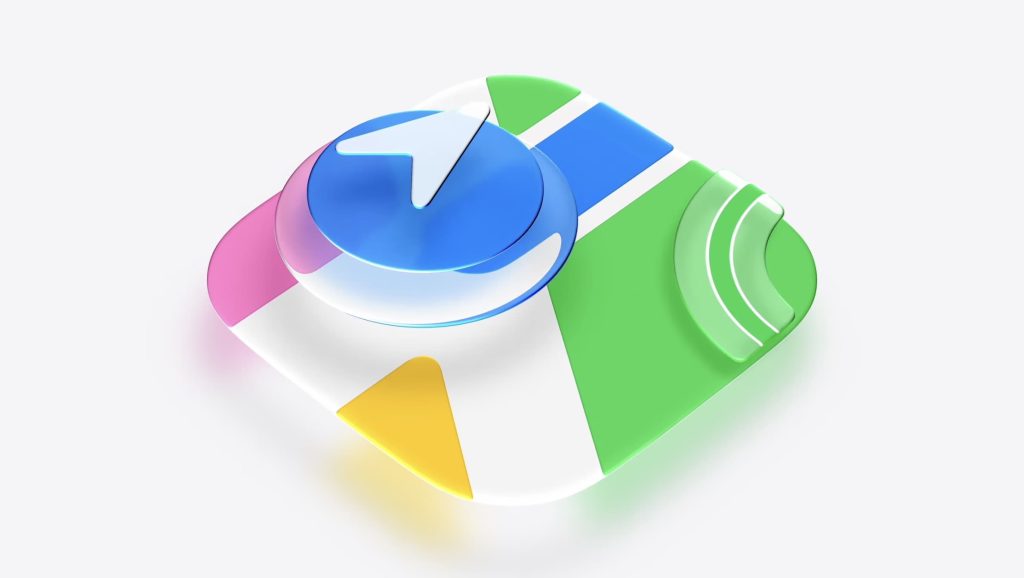
Finally, the Liquid Glass effect is also being refined across system icons on all of Apple’s operating systems, making them look more consistent and modern.
Window corner radius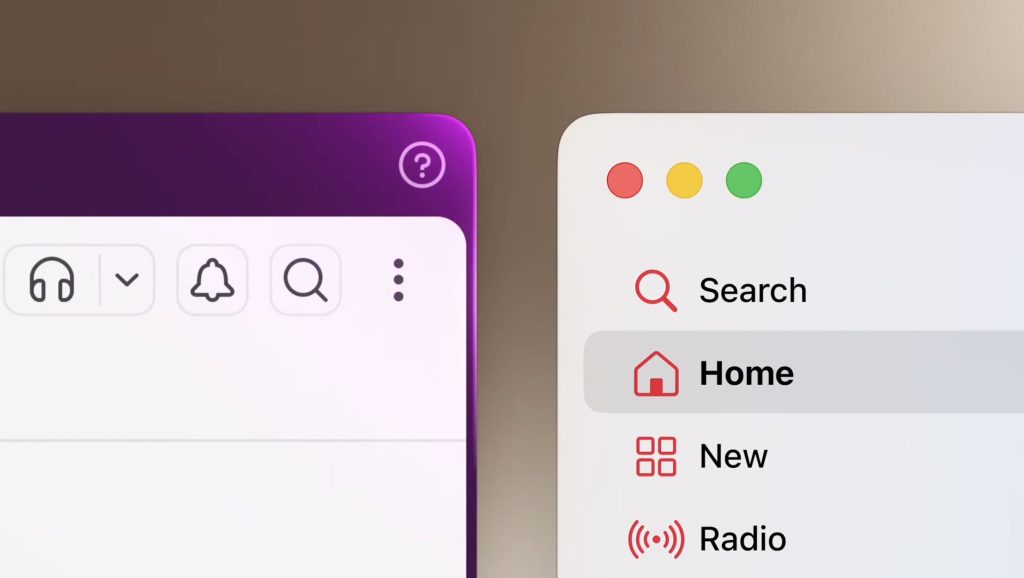
Apple also addressed the perceived lack of consistency of the rounded corners across system windows and apps.
Although the corner radius varied depending on the UI elements at the top of the interface, many saw this as another sign of a poor UI change.
macOS Golden Gate 27 aims to solve that with a fixed corner radius across apps and system windows, even apps that haven’t been updated to the new system.
Search improvementsApple has completely revamped and rearchitected how it indexes content, which is poised to fix yet another persistent complaint from users running previous versions of the system, where Finder would stop looking for files, folders and apps on the Mac.
 Siri AI
The revamped, Gemini-powered version of Siri is called Siri AI. On macOS Golden Gate 27, it lives on the Spotlight, just as it lives on the Dynamic Island on iOS.
Apple says that once the user types a question intended for Siri on Spotlight, the system will automatically identify and route the question to Siri AI. From there, users will be able to continue the conversation from a dedicated window, into which they can drag files and attachments.
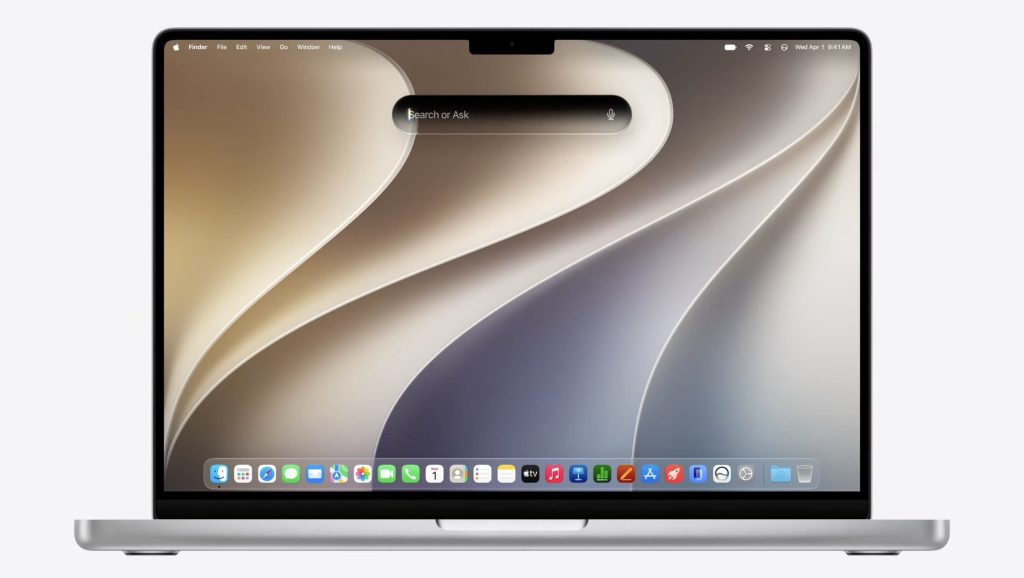
Siri AI relies on Apple’s revamped search architecture and on its partnership with Google to draw on world knowledge, user information, and either Apple’s local or cloud-based models to deliver the results.
As on iOS, Siri AI also has its own dedicated app on macOS Golden Gate 27, and its voice is fully customizable with settings for pace and expressivity.
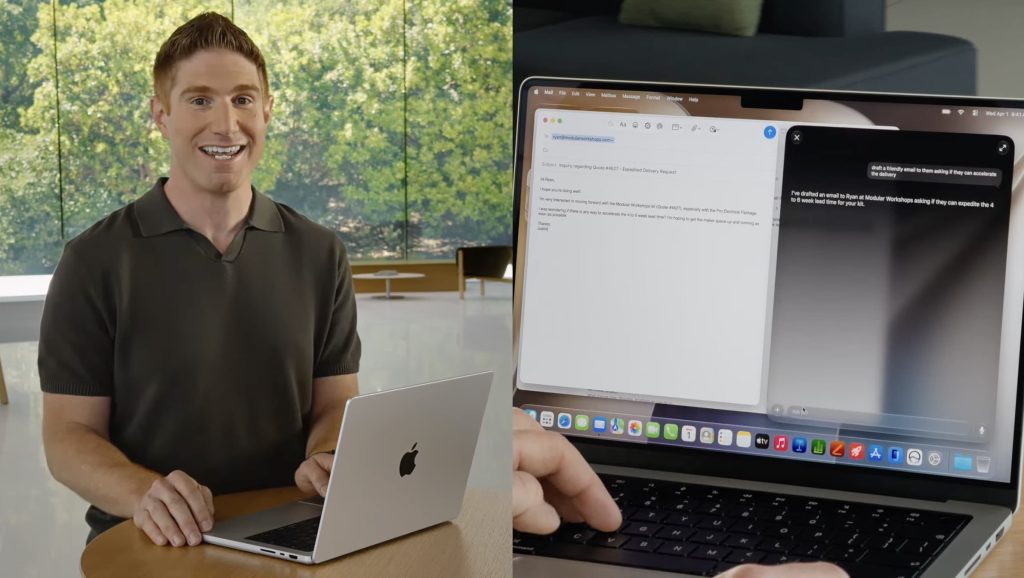
Siri can also act on the user’s behalf, creating email drafts and inputting text messages on iMessage upon request.
Siri AI will be available for developers in English starting today. Interestingly, while Apple said during the keynote that Siri AI wouldn’t be coming to the EU and China just yet, as the company clears regulatory hurdles, the fine print on Apple’s website says Siri AI will be available to EU users on macOS 27, visionOS 27, and watchOS 27.
Visual IntelligenceVisual Intelligence on macOS Golden Gate 27 is getting a dedicated keyboard shortcut. Similar to the screen capture shortcut, it lets users select portions of the screen and get contextual answers around that. From there, users can also continue the interaction from the Siri app.
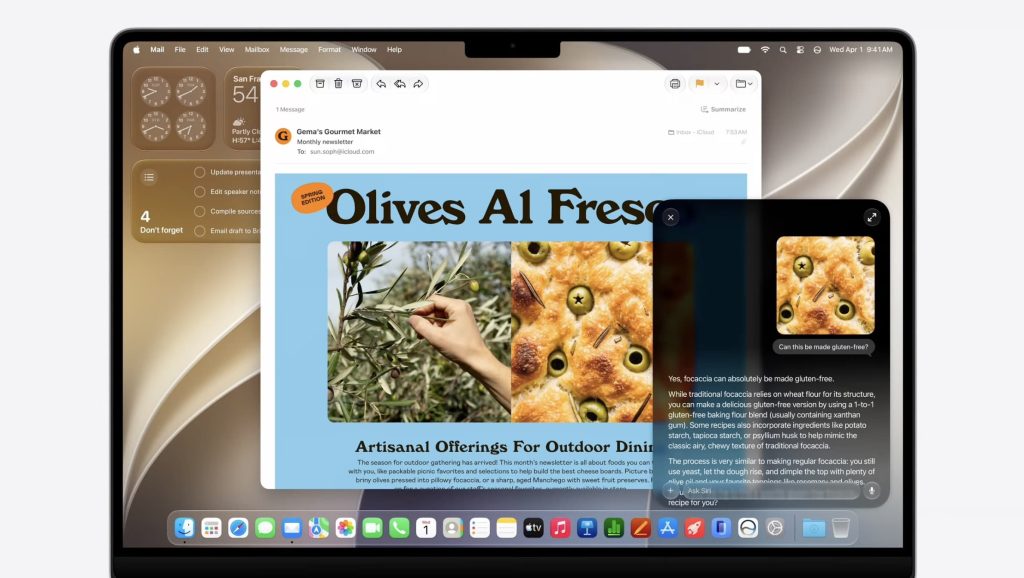
Users can also perform actions from Visual Intelligence, such as adding multiple calendar events at onced based on what’s on the screen.
macOS Golden Gate 27 includes revamped Writing, letting users ask it to quickly write an email draft, for instance.
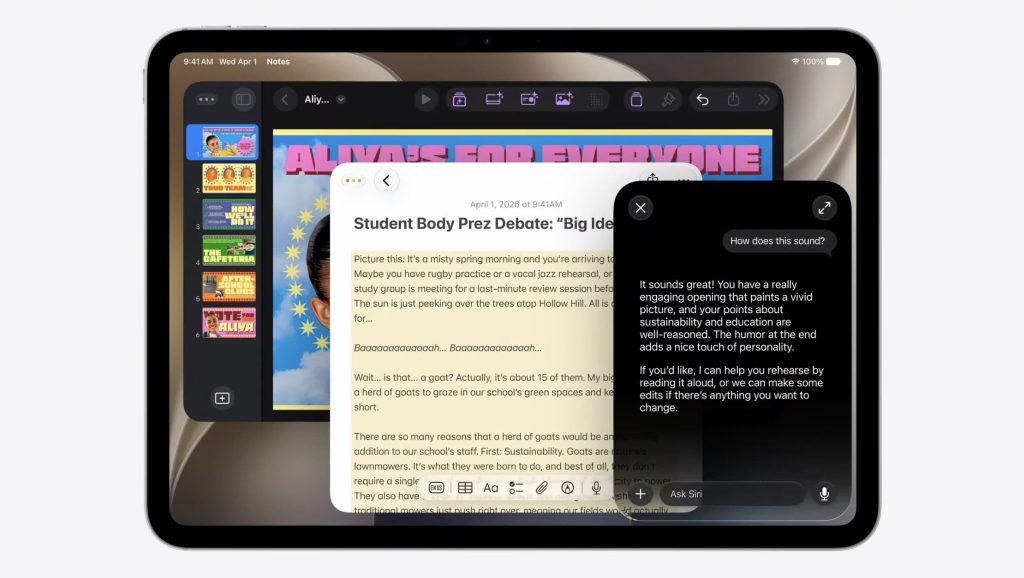
It intelligently understands how the user communicates with each contact, and adjusts the language accordingly. The new Writing Tools also let users ask for feedback on their writing.
Apple Intelligence-powered SafariSafari will now use Apple Intelligence to automatically group tabs based on their context. The browser is also adding “Notify Me” alerts, which will let users get notified when a page they are watching has been updated.
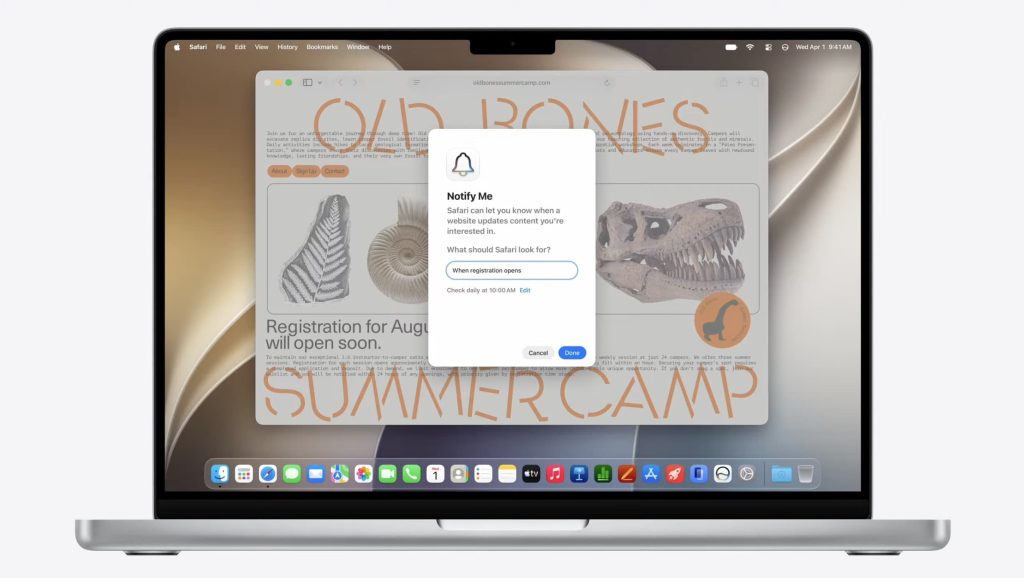
Safari is also getting an AI-powered extension creation feature. Users can describe when they want in natural language, and Safari will automatically create an extension based on that.
Home app improvements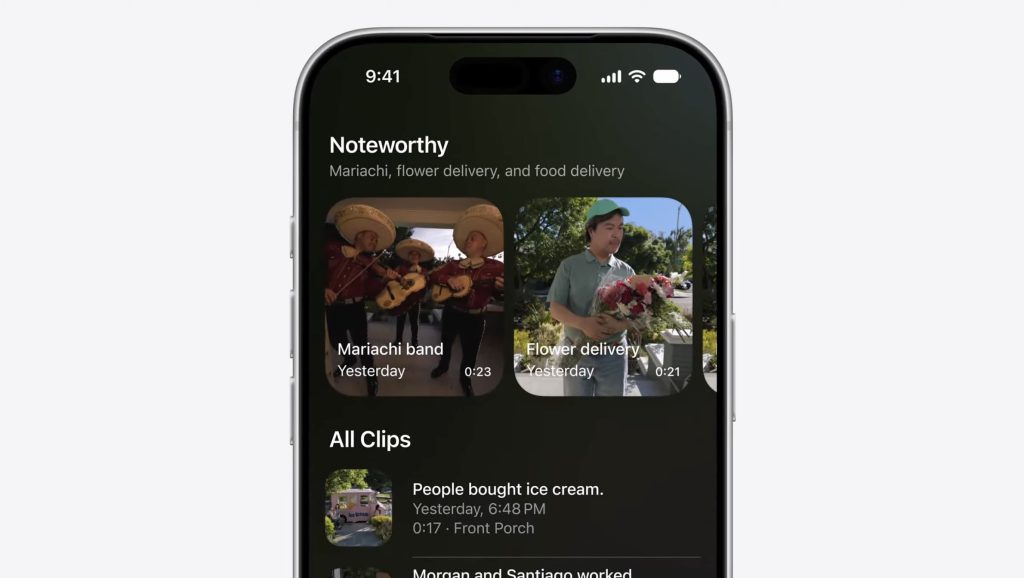
Rather than sending a separate notification for every activity, the Home app will now update the same notification with broader context about what is happening. The app is also adding automatic highlights for important moments in recorded clips, along with contextual search.
Shortcuts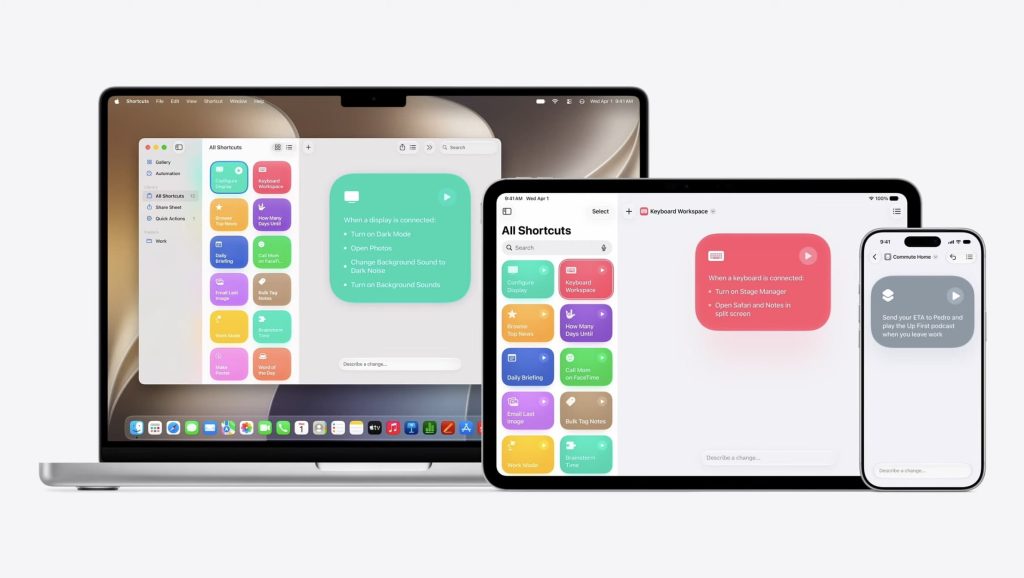
As expected, Shortcuts is getting a natural language reasoning feature, based on Apple Intelligence. Users can simply describe what they want, such as “when I’m leaving work, text my wife with my expected ETA,” and Shortcuts will actually build the shortcut to make it work.
Image PlaygroundsThe Image Playgrounds app is also getting a revamp on macOS Golden Gate 27, with more flexible styles, image editing tools, and more. It will also allow users to create contact posters and wallpapers, as expected.

There are also new Image Playgrounds APIs, which will let developers adopt the same features as Image Playgrounds is getting under macOS Golden Gate 27.
PhotosApple will add generative image features to the Photos app, with options to change an image’s aspect ratio or tilt. The Photos app will generate the missing bits in a seamless and natural way.
Photos is also getting Spatial Reframing, which lets users adjust a photo’s perspective using the device’s spatial models.
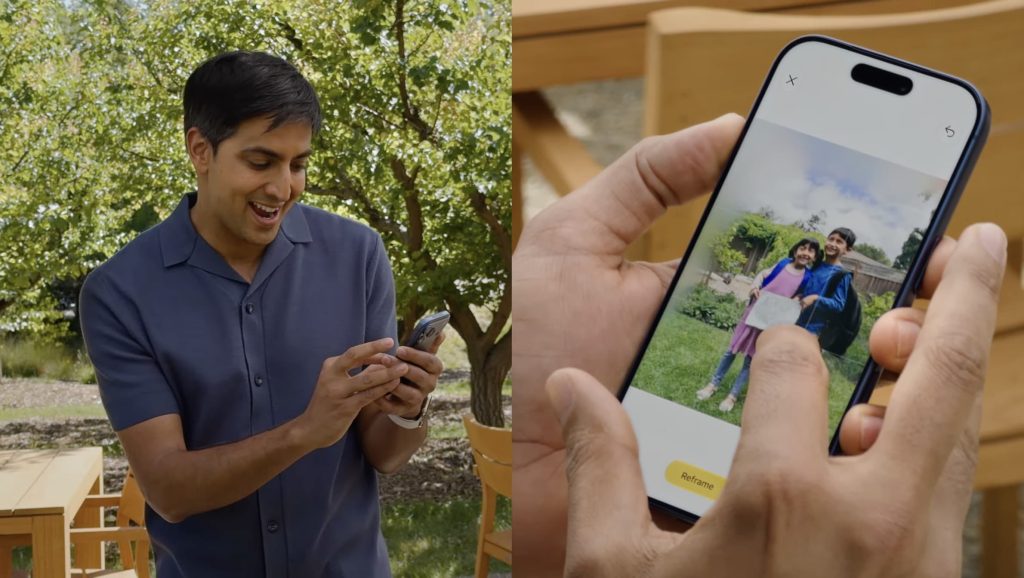
The feature also supports pinch-to-zoom, and, as with the other tools, can generate new content to fill the gaps created by the perspective shift. Apple says the feature works on amost any photo, including older images or photos taken with different cameras.
For ongoing updates and full coverage of WWDC 2026, head over to our news hub.
Worth checking out on Amazon


FTC: We use income earning auto affiliate links. More.
| # | Наименование новости | Тональность | Информативность | Дата публикации |
|---|---|---|---|---|
| 1 | macOS Golden Gate: Here’s the list of Macs compatible with the update | 0 | 8.17 | 08-06-2026 |
| 2 | macOS 27 Golden Gate includes these changes that Tahoe critics will appreciate | 0 | 13.55 | 09-06-2026 |
| 3 | macOS 27 Golden Gate adds these new wallpapers and screen savers to your Mac | 0 | 16.73 | 06-07-2026 |
| 4 | How to Install macOS 27 Golden Gate Public Beta on Mac | 0 | 10.14 | 22-07-2026 |
| 5 | macOS 27: Five new Mac features being announced next month | 0 | 14.06 | 19-05-2026 |
| 6 | macOS 27 could grant two wishes that longtime Mac users want most | 0 | 15.29 | 05-06-2026 |
| 7 | 10 новых и полезных фишек macOS 27 Golden Gate. Надо ли обновляться ради них | 0 | 15.41 | 29-06-2026 |
| 8 | macOS Beta: Golden Gate Public Beta 4 now available | 0 | 13.88 | 17-08-2026 |
| 9 | macOS 27 Golden Gate makes one design decision that I would change for MacBooks | 0 | 11.4 | 18-08-2026 |
| 10 | Всё, что Apple показала на WWDC 2026 | 0 | 7 | 08-06-2026 |