Просмотр новости
Найдите то, что Вас интересует
 Спутники
 РН
РН SpaceX
 Роскосмос
 NASA
NASA
СпутникиРНSpaceXРоскосмосNASAThis week, we launched the Field Guide to Grid Lanes at gridlanes.webkit.org.
This week, we launched the Field Guide to Grid Lanes at gridlanes.webkit.org.
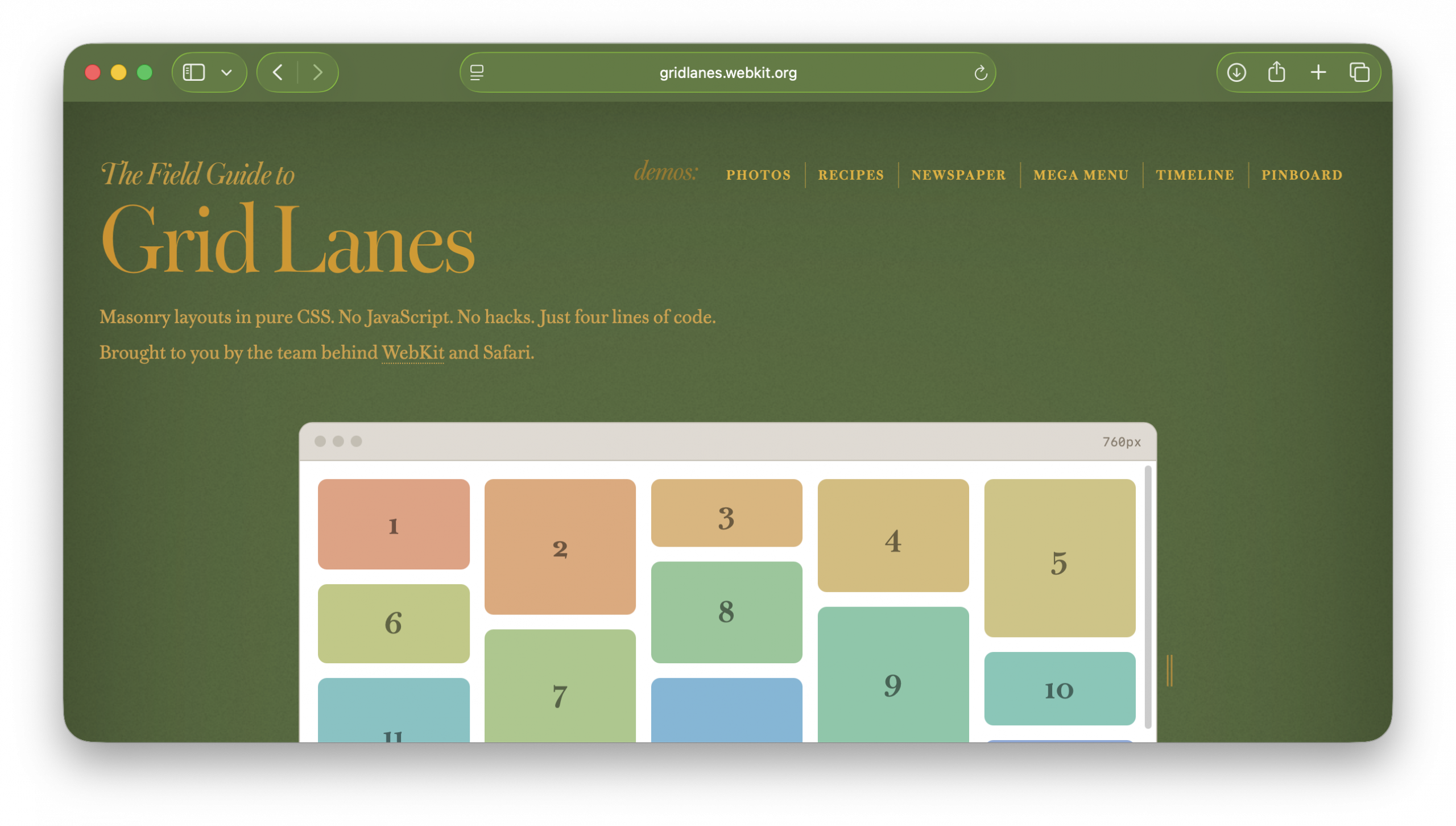
If you ever bookmarked the CSS Tricks Complete Guide to Flexbox, HTML5 Rocks, or CSS Zen Garden, a guide like this might feel familiar. It’s designed to be an easy introduction, a reference guide — and just plain fun.
The interactive playgroundAt the top is a live, editable Grid Lanes layout. Switch between Waterfall and Brick. Try preset layouts. Drag the slider labeled “Flow tolerance” and click “Play tab order” to understand the impact of flow-tolerance.
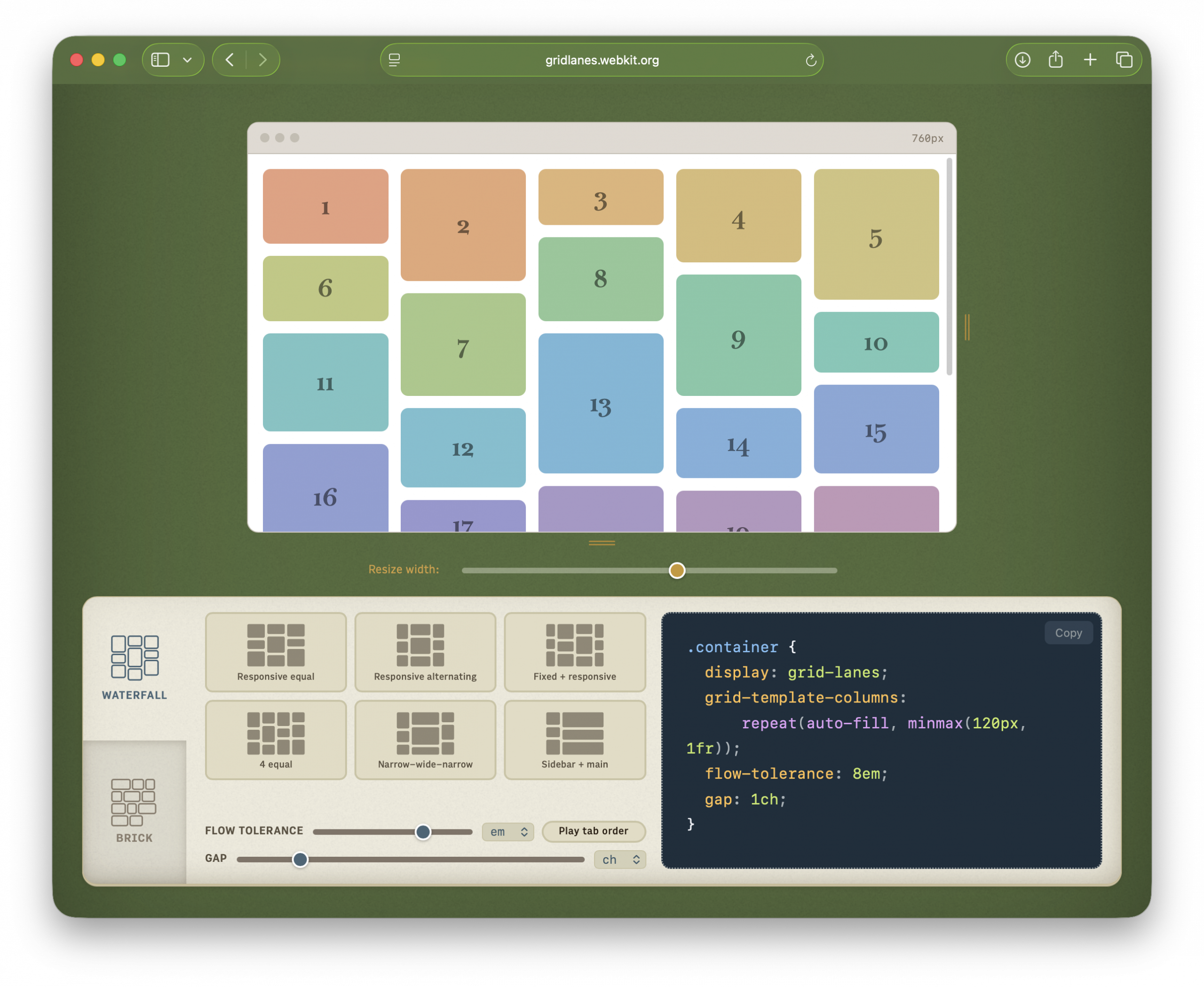
Resize the demo browser window to test responsive behavior without resizing your whole window. Edit the CSS directly. Copy the code you create.
The cheat sheetNext is the Field Guide itself — a single-page reference for every property, value, and option.
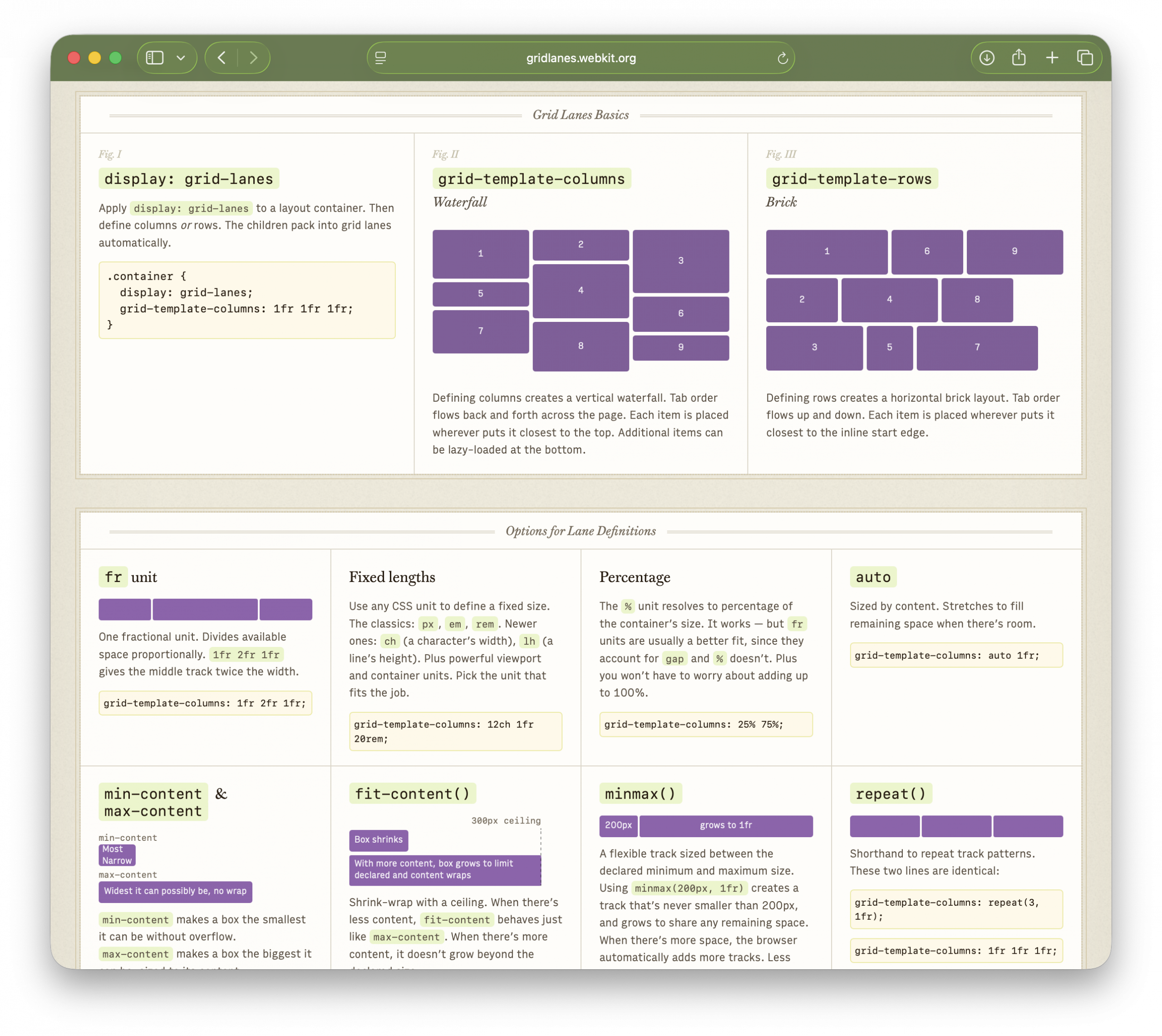
It has four sections:
display: grid-lanes, plus the difference between waterfall and brick layoutsfr units, fixed lengths, percentages, auto, min-content & max-content, fit-content(), minmax(), repeat(), and auto-fill vs auto-fitflow-tolerance, gap, spanning tracks, and explicit placementTo showcase the possibilities of Grid Lanes, we created six demos, each available in several variations:

Each demo opens with a floating control panel.
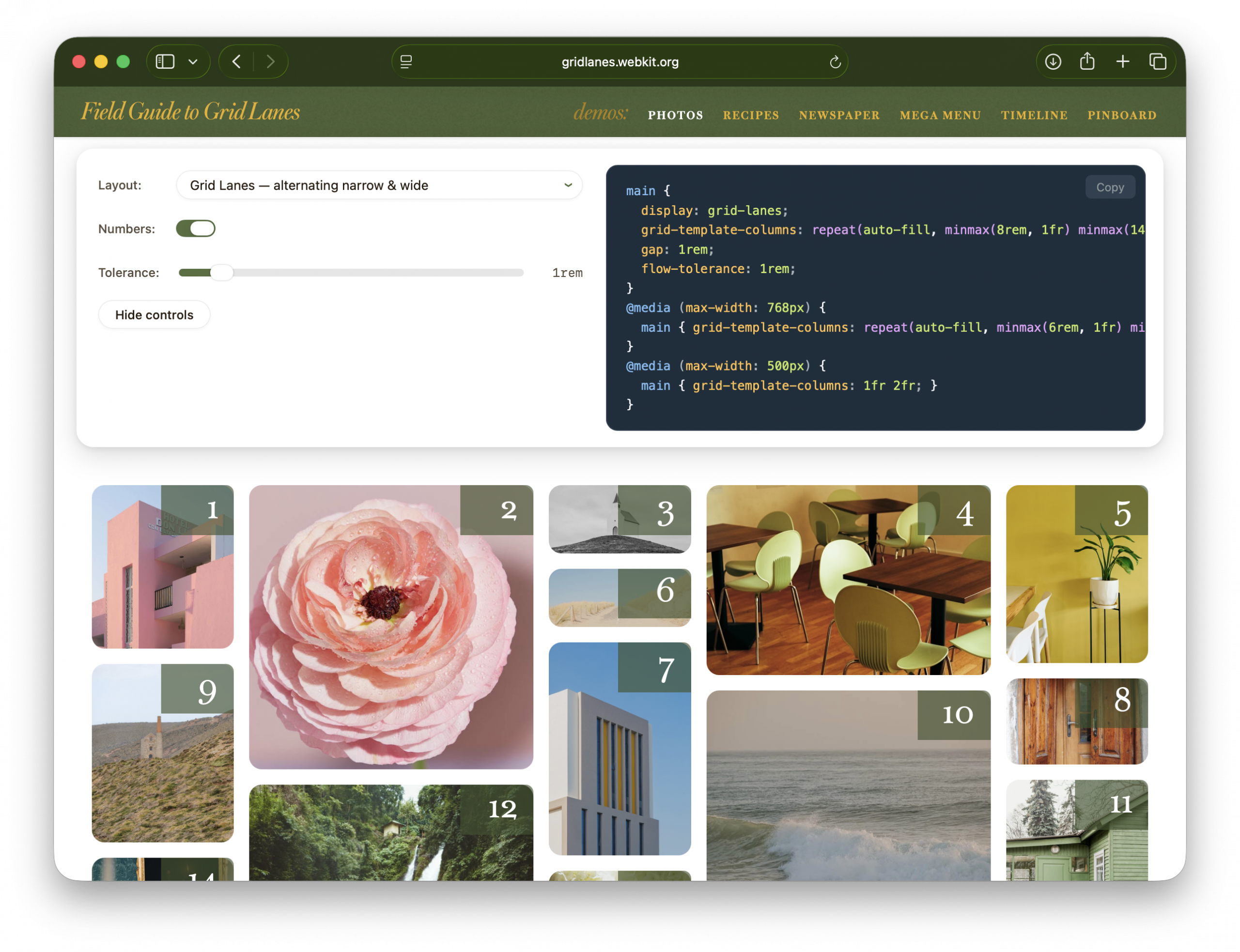
“Layout” offers a dropdown of variations — showing off what Grid Lanes can do, and comparing it to Flexbox, Multicolumn, and Grid. “Numbers” shows item order. “Flow tolerance” lets you experiment with its effects. The code panel displays the key layout CSS.
“Hide controls” puts the focus on the demo itself. To get the controls back, click the gear that appears in the lower-right corner.
Working with Safari’s developer toolsWeb Inspector knows about Grid Lanes, too. Toggle “Order Numbers” to reveal overlays marking the DOM order of items. These numbers are extremely useful when experimenting to find the best flow-tolerance value for your content.
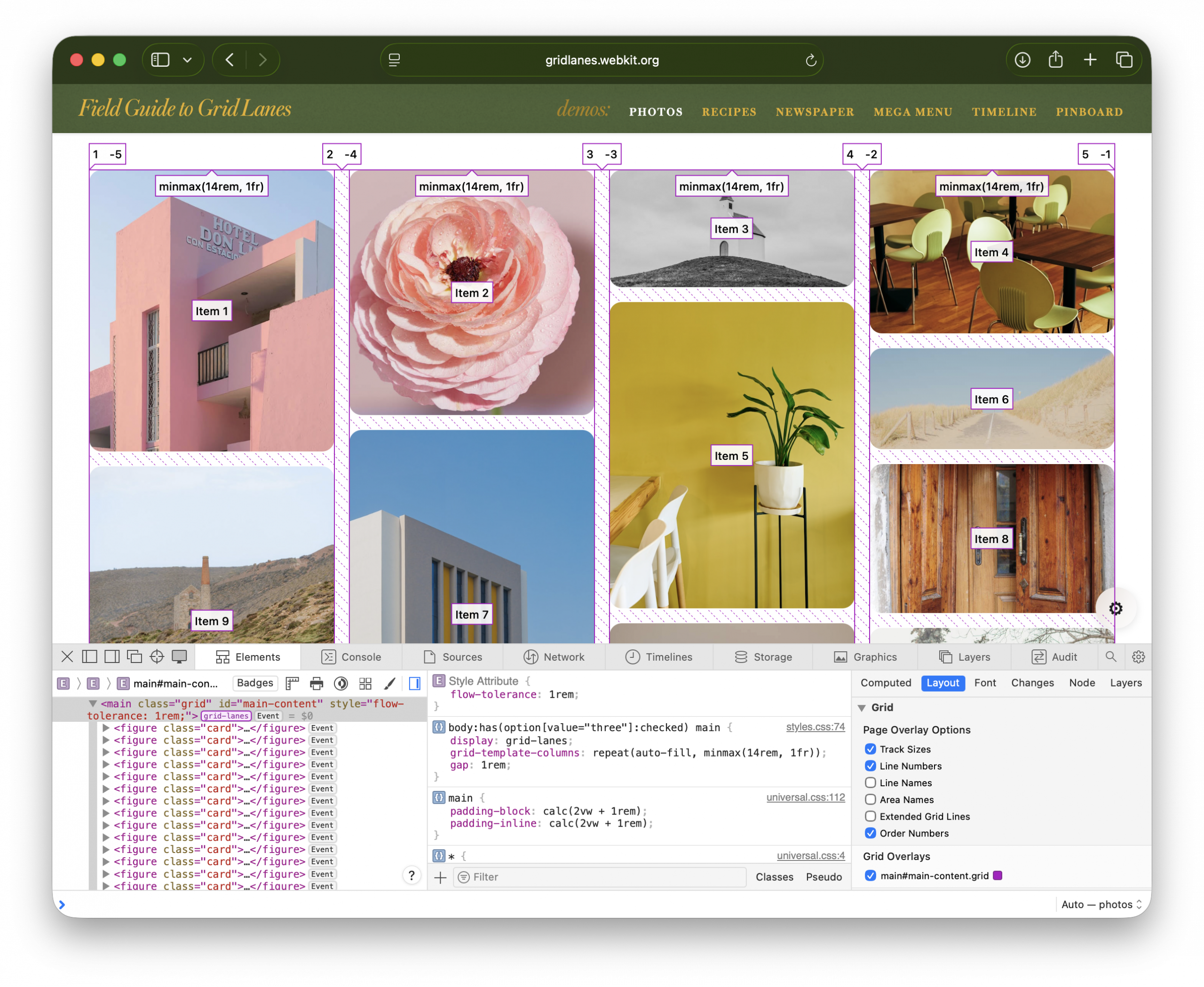
Learn more by reading New Safari developer tools provide insight into CSS Grid Lanes.
What about other browsers?Grid Lanes works today in Safari 26.4+. For the latest information about other browsers, check Can I Use. For progressive enhancement guidance, read When will CSS Grid Lanes arrive? How long until we can use it?
Made by the people who shipped itThe Field Guide was built by the same team behind Grid Lanes. We hope this is a fun experience that makes Grid Lanes easy to learn. Bookmark it, share it with colleagues, and let us know what you make.
FeedbackWe’d love to hear from you. Find us online: Jen Simmons on Bluesky / Mastodon, Saron Yitbarek on Bluesky / Mastodon, and Jon Davis on Bluesky / Mastodon. You can follow WebKit on LinkedIn.
| # | Наименование новости | Тональность | Информативность | Дата публикации |
|---|---|---|---|---|
| 1 | WebKit Features for Safari 26.6 | 0 | 23.33 | 27-07-2026 |
| 2 | django-live-translations - In-browser translation editing for Django superusers | 0 | 35 | 29-03-2026 |
| 3 | Introducing profiling-explorer | 0 | 43.33 | 12-04-2026 |
| 4 | syrupy: The Sweeter pytest Snapshot Plugin | 0 | 10 | 03-04-2026 |
| 5 | The golden rule of Customizable Select | 0 | 13.67 | 15-06-2026 |
| 6 | Is your beach towel a fashion flex? | 0 | 10 | 24-07-2026 |
| 7 | Discover MapKit JS 6: Rebuilt for Today’s Web Developer | 0 | 10.41 | 09-06-2026 |
| 8 | Introducing the Safari MCP server for web developers | 0 | 7.75 | 01-07-2026 |
| 9 | ГИБДД опубликовала карту с дорожными камерами | 0 | 0 | 31-07-2019 |
| 10 | 2026 Kubernetes Monitoring Guide: Challenges & Best Practices | 0 | 7 | 06-03-2026 |