Просмотр новости
Найдите то, что Вас интересует
 Спутники
 РН
РН SpaceX
 Роскосмос
 NASA
NASA
СпутникиРНSpaceXРоскосмосNASAAt a market stall with no signal, the real question is not fees. It is whether an offline card payment actually goes through, and who eats it if it doesn't. Here is how Stripe and Square compare.
The post Stripe vs Square for a Pop-Up: Offline Payments Compared first appeared on VentureLab.
Fees decide which processor is cheaper. Offline mode decides whether you actually get paid at the craft fair in the church basement with one bar of signal. For a pop-up, that second question is the one that matters.
Pop-ups, markets, and festivals keep growing, and they love exactly the venues where cell service goes to die: metal-roofed halls, rural fields, crowded convention floors. So the honest comparison between Stripe and Square for a pop-up is not really about the headline rate. It is about what happens to a card tap when the internet is not there to approve it.
Both let you take payments offline. Both carry a catch that pop-up sellers routinely miss until a batch of “completed” sales quietly fails days later. Here is how each one actually behaves when you are off the grid, and how to choose.
Short AnswerSquare is the simpler turnkey choice for a pop-up: offline mode works out of the box, but it defaults to a $100 per-transaction limit, requires you to reconnect within 24 hours or the payment expires, and makes you liable for any offline payment that later declines or is disputed. Stripe Terminal gives you more control, including configurable amount limits and the option to refuse offline transactions, but it needs developer setup. With both, an offline payment is not authorized until connectivity returns, so it can still decline after the customer has walked away. Pick Square for plug-and-play simplicity and Stripe for configurable control, and cap your offline exposure either way.
Table of Contents
Here is the part that surprises people. Offline mode does not approve a payment on the spot. It stores the transaction on your device and forwards it for authorization once you are back online. The tap feels successful, but the actual approval happens later.
That gap is the whole risk. If the card is declined, expired, or has no funds when the payment finally reaches the processor, you have already handed over the goods. Both Stripe and Square work this way, so offline mode is really a bet that the card is good, taken on your dime.
How Square handles offlineSquare’s offline mode is built for non-technical sellers, which is why so many market vendors use it. You turn it on in the app and keep ringing up sales when the connection drops. Square even plans to auto-enable offline payments on devices in April 2026 unless you opt out.
The limits are specific. Square’s offline mode defaults to a $100 per-transaction cap, you must reconnect within 24 hours or the offline payments expire, and by turning it on you accept liability for any expired, declined, or disputed payment taken while offline. Square spells this out in its offline payments documentation. For a low-value, high-volume stall, that trade can be fine. For big-ticket items, it is a real exposure.
How Stripe Terminal handles offlineStripe Terminal treats offline as something you configure rather than a single switch. It stores payments locally on the reader or POS device and forwards them when connectivity returns, and you can safely reboot mid-event without losing stored sales, according to Stripe’s offline mode documentation.
The control is the selling point. You can disallow transactions above a set amount, refuse new offline sales once your stored total crosses a threshold, or fail a transaction outright if there is no connection. The catch is that this lives in the Terminal SDK and configuration, so it usually means a developer or a Stripe-based POS app, not a five-minute setup. You get finer risk management in exchange for more work upfront.
Side by side| Factor | Square | Stripe Terminal |
|---|---|---|
| Setup | Turnkey, toggle in the app | Developer configuration or a Stripe POS app |
| Per-transaction limit | Defaults to $100 | Configurable by you |
| Time window | Reconnect within 24 hours or it expires | Stored and forwarded on reconnect, configurable |
| Risk controls | Basic, on or off | Amount caps, stored-total caps, fail-if-offline |
| Authorization | After reconnect | After reconnect |
| Liability for failed offline payments | On the seller | On the seller |
| Best for | Non-technical, low-ticket pop-ups | Custom setups needing tight risk control |
Notice the two rows that match: with either one, authorization happens after reconnect, and the seller carries the risk. That is the shared reality of taking cards with no signal.
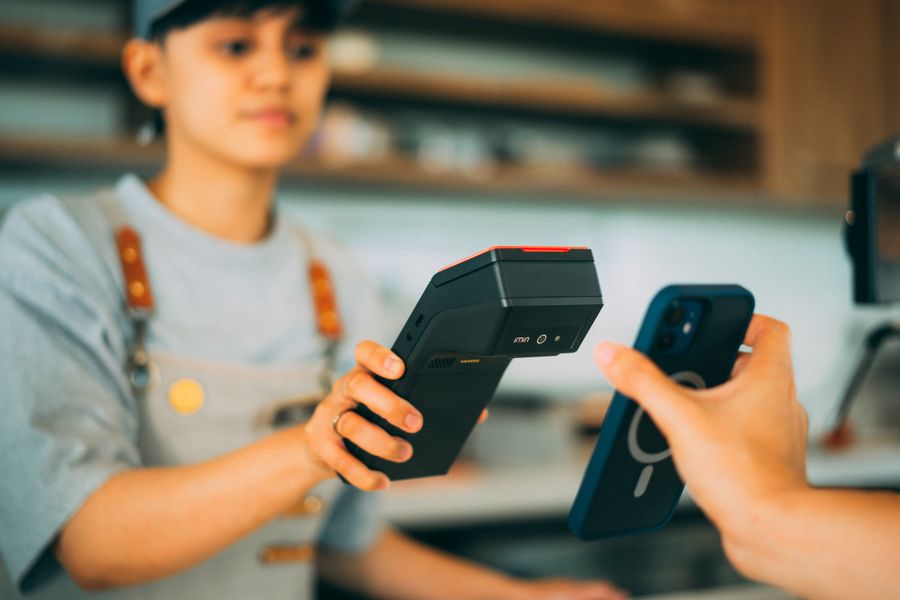

Because offline payments settle late, disputes and declines are the real cost, and they land after the event when you cannot fix them. A few habits keep the damage down.
Match the processor to how you actually sell.
Fees and deposit speed still matter once you are back online, of course. If that side of the decision is open too, our comparison of Stripe versus Square deposits, fees, and holds covers it, and for invoice-style sales rather than in-person taps, see Stripe payment links versus Square invoices.
What to watch out forThis article is for general information only and is not financial, legal, or tax advice. Payment processor features, limits, fees, and liability terms change and vary by region and account, so confirm current details in each provider’s official documentation before you rely on offline mode.
Frequently Asked QuestionsDo Stripe and Square approve offline payments instantly?No. Both store the transaction locally and only attempt authorization once connectivity returns. The sale feels complete at the tap, but the actual approval, or decline, happens later when the payment is forwarded.
What is Square’s offline payment limit?Square’s offline mode defaults to a $100 per-transaction limit, and you must reconnect within 24 hours or the offline payments expire. By enabling it, you accept liability for any offline payment that later expires, declines, or is disputed.
Does Stripe Terminal work without internet?Yes. Stripe Terminal can store payments on the reader or POS device offline and forward them when the connection returns. It also lets you set amount caps and refuse offline transactions, but configuring it typically requires developer setup or a Stripe-based POS app.
Who pays if an offline card payment declines later?The seller. With both Square and Stripe, if an offline payment fails to authorize after you reconnect, you have already delivered the goods and you absorb the loss. That is why capping the offline amount matters.
Is offline mode safe for high-value sales?It is riskier, because a single failed high-value payment can erase a day’s earnings. For big-ticket items, keep a low offline cap, take alternative payment when possible, or wait for a connection to authorize in real time.
Which is better for a first-time market seller?Square, in most cases. It is designed for non-technical sellers, works out of the box, and suits low-ticket, high-volume stalls. Move to Stripe Terminal if you need programmatic risk control or already run on Stripe.
The Bottom LineFor a pop-up, choose your processor on offline behavior first and fees second. Square gets you selling in minutes but hands you a $100 default, a 24-hour clock, and the liability. Stripe Terminal lets you engineer the risk down, if you have the hands to set it up. Either way, the smart move is the same: keep offline amounts small, reconnect the moment you can, save your receipts, and never treat that green checkmark in a dead-signal venue as money in the bank until the batch clears.
| # | Наименование новости | Тональность | Информативность | Дата публикации |
|---|---|---|---|---|
| 1 | Print-on-Demand Store Gets ‘Payment On Hold’ After a Spike: A 2026 Proof-of-Fulfillment Packet to Release Payouts | 0 | 10.14 | 27-07-2026 |
| 2 | Print-on-Demand Trademark Mistakes That Trigger Takedowns | 0 | 10.45 | 04-08-2026 |
| 3 | UPI vs cards: Why merchants pay MDR on cards but not on UPI payments | 0 | 6.25 | 17-08-2026 |
| 4 | Retail’s Checkout Challenge: What’s Holding Us Back | 0 | 5 | 08-01-2026 |
| 5 | No storefront needed — get paid via DMs and QR codes with Squarespace’s new tool | 0 | 10 | 24-12-2025 |
| 6 | Как настроить прием онлайн-платежей без лишних шагов | 0 | 19.32 | 06-08-2026 |
| 7 | Technology Adoption and Leapfrogging: Racing for Mobile Payments | 0 | 10 | 01-12-2027 |
| 8 | Онлайн эквайринг для бизнеса: как выбрать и подключить без лишних расходов | 0 | 8.55 | 05-06-2026 |
| 9 | What's the Right Level of Friction for Pay-by-Bank? | 0 | 13.61 | 06-08-2026 |
| 10 | 8 Reasons I Recommend Squarespace Premium | 0 | 10.21 | 26-06-2026 |