Просмотр новости
Найдите то, что Вас интересует
 Спутники
 РН
РН SpaceX
 Роскосмос
 NASA
NASA
СпутникиРНSpaceXРоскосмосNASAVideoPress now lets you build video playlists and share them right on your own site.
A support topic on the WordPress.org forums caught my attention recently. The ask was simple: could VideoPress play videos as a playlist on a single page?
Then I found several other requests for the same feature, and one comment stood out:
Only one more thing I would need for 5 stars: a VideoPress playlist block of some kind, please and thanks?
What I had in mind initially was something closer to YouTube Playlists, with a separate place to create and manage playlists. I have to admit I was making it more complicated than it needed to be.
In WordPress, we can let people build and share playlists right on their own sites. That’s the idea behind the VideoPress Playlist block.
To create and share a playlist, all you have to do is create a page or post, add the VideoPress Playlist block, add your videos, tweak the layout, and publish. Then share the page URL.
What you can doBuild and manage your playlist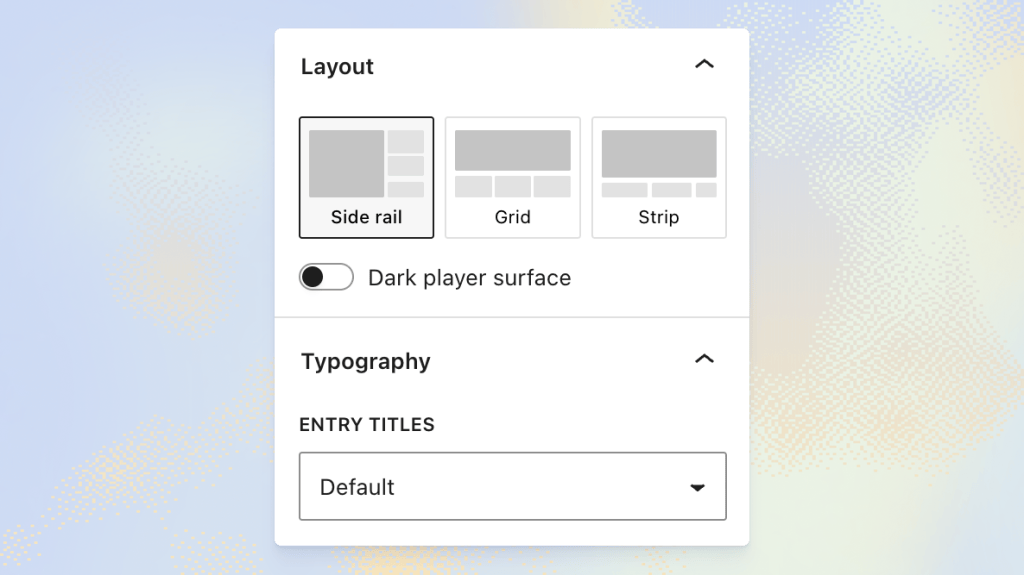
Start with the “Build a video playlist” placeholder and add videos by URL or select them from your Media Library.
As you build, you’ll see a live preview of how the playlist will look on your site. Click an entry to switch the previewed video, and use the block’s sidebar settings to manage the playlist.
You can drag and drop videos to change their order, use the up and down arrow keys on the reorder handles, or remove individual entries. If you add a video that’s already in the playlist, you’ll have the option to add it anyway or cancel.
Choose how it plays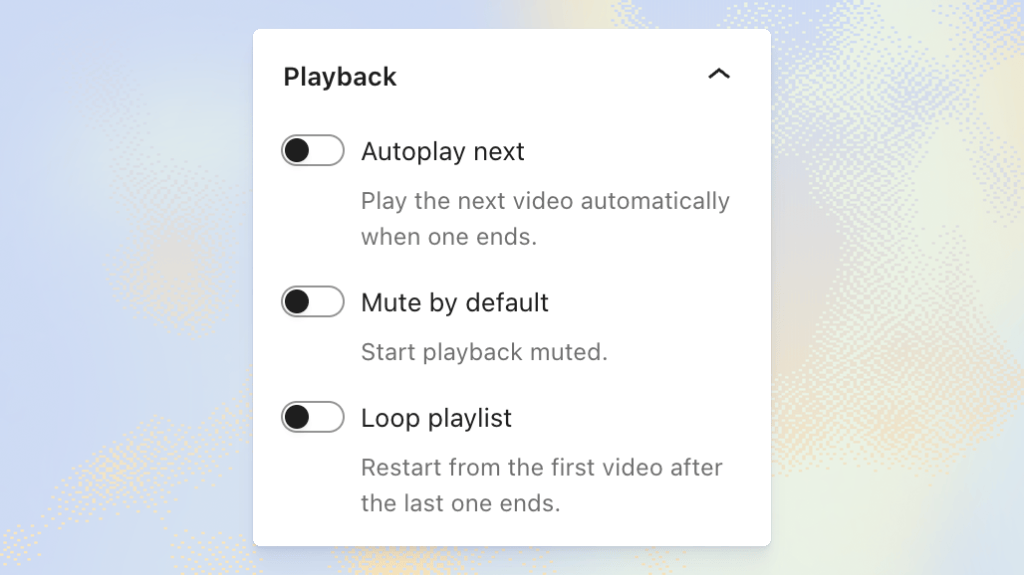
The playback settings let you:
Whether you’re putting together a series of tutorials or a collection of favorite clips, you can choose how viewers move through them.
Show the details you want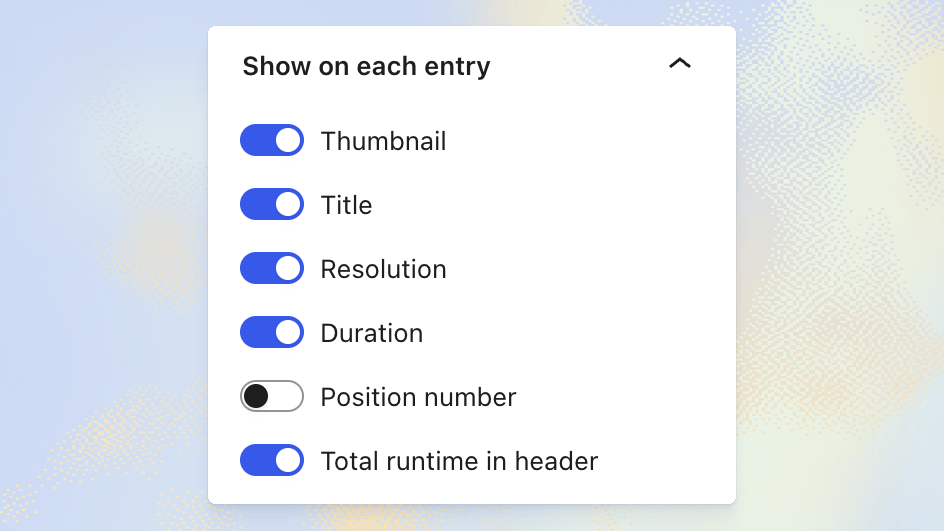
Choose which details appear in your playlist, including thumbnails, titles, resolution, duration, and position numbers. You can also show the playlist’s total runtime.
Make it fit your site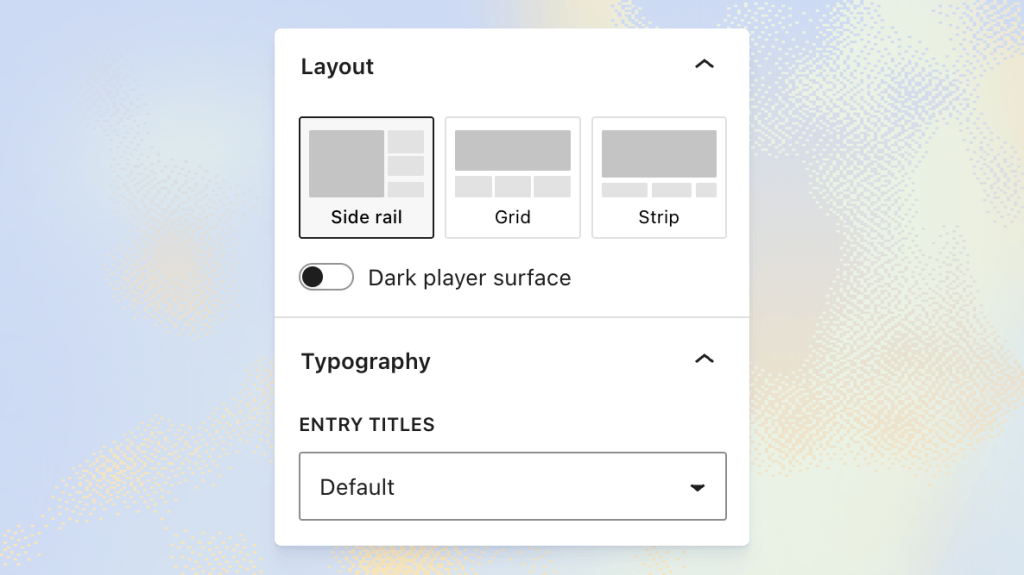
Choose from three layouts:
You can also choose a dark player surface and, when your theme provides fonts, select a font for the entry titles.
Give it a tryThe block is available now in the VideoPress plugin, and in Jetpack 16.2 or later with VideoPress turned on. Open any post or page, search for “Video Playlist” in the block inserter, and start adding videos.
This one started with a single forum post and a user asking for a playlist block, “please and thanks.” Requests like that shape what we build, so keep them coming.
Try it out and let us know what you think in the VideoPress support forum or by opening an issue on GitHub.

Learn how Jetpack can help you protect, speed up, and grow your WordPress site.
Comments are closed for this article, but we're still here to help! Visit the support forum and we'll be happy to answer any questions.
| # | Наименование новости | Тональность | Информативность | Дата публикации |
|---|---|---|---|---|
| 1 | The VideoPress player, rebuilt from scratch | 0 | 6.97 | 16-09-2026 |
| 2 | YouTube запустил Shorts series для создателей микродрам | 0 | 10 | 24-09-2026 |
| 3 | Your Next Post Can Be a Podcast | 0 | 7.09 | 26-08-2026 |
| 4 | В MAX появились опросы в каналах | 0 | 7.86 | 06-10-2026 |
| 5 | Релиз IINA 1.5 для macOS: крупнейшее за десять лет обновление интерфейса видеоплеера | 0 | 12.07 | 06-10-2026 |
| 6 | Авторы каналов в "Максе" получили возможность принимать донаты | 0 | 8.5 | 01-10-2026 |
| 7 | В "Максе" запустили опросы в каналах | 0 | 9.38 | 06-10-2026 |
| 8 | Max добавил для владельцев каналов возможность подключать донаты | 0 | 8.79 | 01-10-2026 |
| 9 | KVBW-Mitgliederportal jetzt mit erweiterten Funktionen | 0 | 15.56 | 10-09-2026 |
| 10 | Multi-Space Content Distribution new capabilities | 0 | 13.19 | 01-09-2026 |