Просмотр новости
Найдите то, что Вас интересует
 Спутники
 РН
РН SpaceX
 Роскосмос
 NASA
NASA
СпутникиРНSpaceXРоскосмосNASA
We go hands-on with the Logitech M850 L mouse, the company's first with a palm cushion for added comfort during long work hours.
(via Cult of Mac - Your source for the latest Apple news, rumors, analysis, reviews, how-tos and deals.)
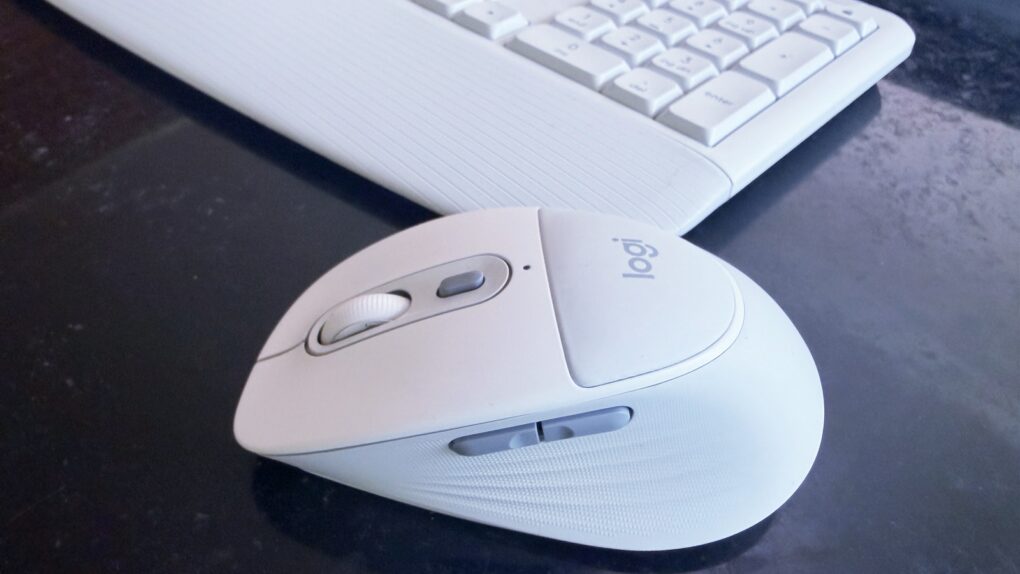 ★★★★☆
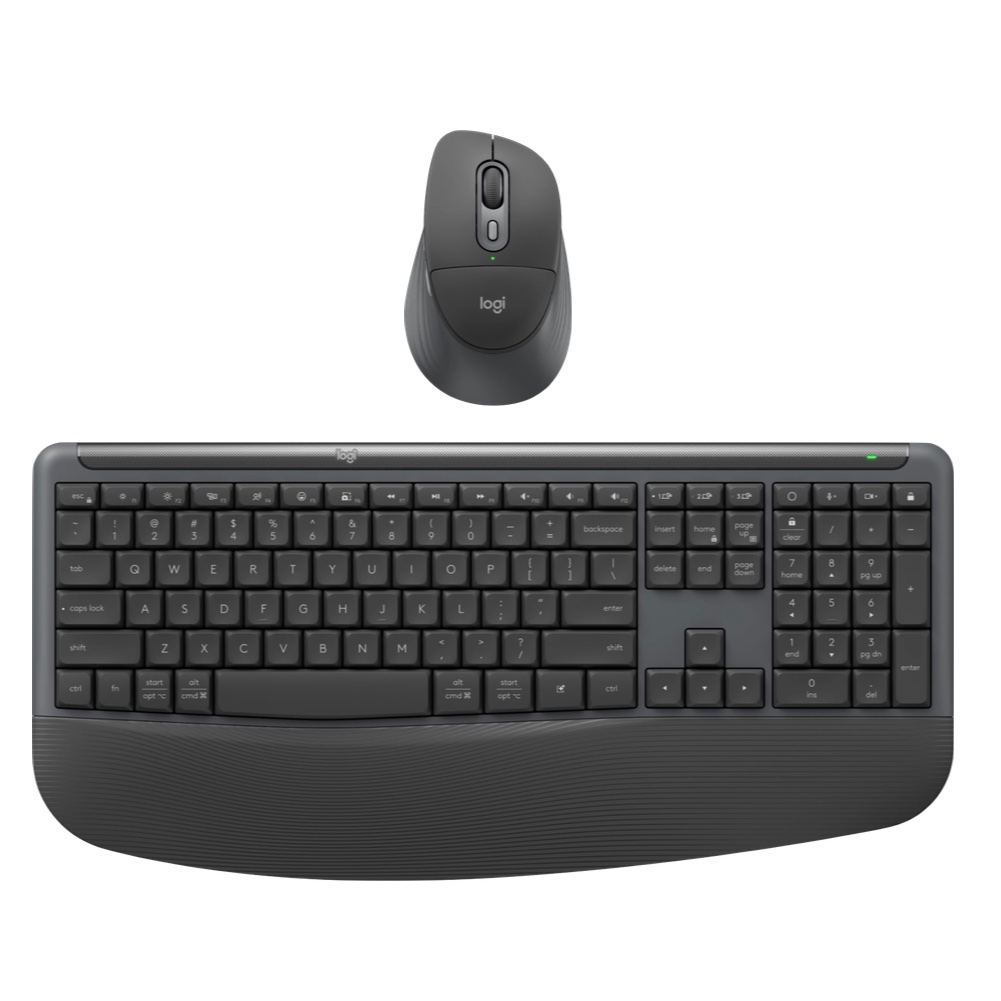
The Logitech Signature Comfort Plus M850 L mouse is also available with a keyboard.
★★★★☆
The Logitech Signature Comfort Plus M850 L mouse is also available with a keyboard. The new Logitech Signature Comfort Plus M850 L is the company’s first-ever mouse with a palm cushion. It’s all part of making the mouse comfortable to use over the long haul. And it includes silent switches, SmartWheel scrolling and more.
It can be paired with the Signature Comfort Plus MK880 keyboard, which has its own cushion.
I tested both in my home office for this hands-on review.
Logitech Signature Comfort Plus M850 L and MK880 Combo reviewIf you’re like me, you have a mouse in your hand all day, every day. The design matters. A comfortable one can make you more productive, making everything you do feel less frustrating.
Plus, a good design is also critical to reduce strain, fatigue and the risk of repetitive stress injuries.
The newly launched Logitech Signature Comfort Plus M850 L is intended to accomplish all this, and the Signature Comfort Plus MK880 Combo adds a keyboard.
Comfy mouse
Logitech Signature Comfort Plus M850L Wireless Mouse
4.5
$49.99
Wireless Bluetooth mouse featuring palm cushion, cozy side grips, quiet clicks, SmartWheel scrolling, and Easy-Switch between up to 3 devices
Pros:
Cons:
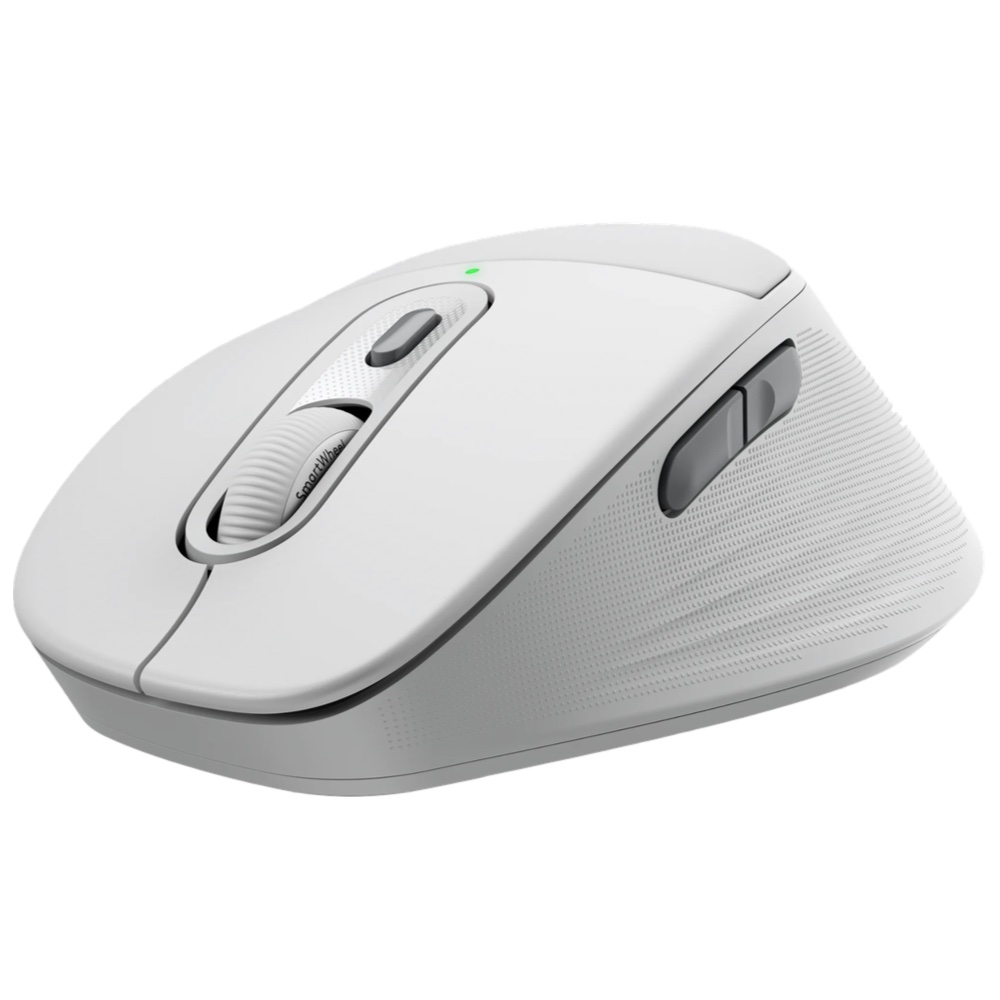
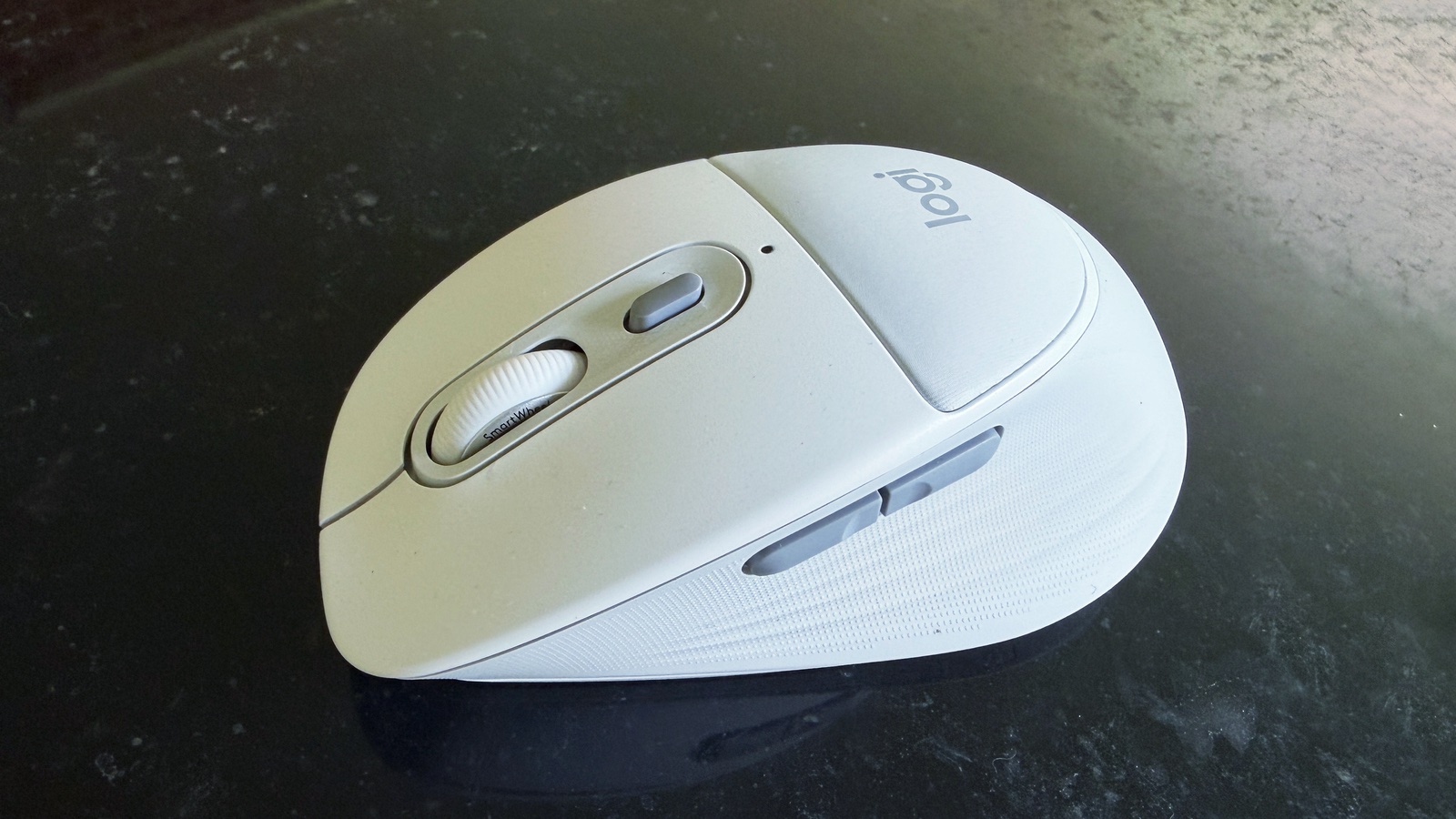 The Logitech M850 L tries to be comfortable, without trying overly hard.
The instant I started testing Logitech’s new mouse, I realized I’d been using an uncomfortable one for years. I haven’t put much thought into mouse design, and simply used whatever I had on hand. In contrast, it’s clear Logitech puts loads of thought into the topic.
The Signature Comfort Plus M850 L is a mix of ergonomics and traditional mouse design. (Probably because many people are not comfortable with vertical ergonomic mouses… that includes me.)
The resulting design is a smooth, rounded shape that I can rest my hand on, and my fingers naturally fall onto the buttons — exactly what I want to happen.
When talking about the product, Logitech really hypes the palm cushion, which is nice and squishy. And it’s been designed to last for years of daily use, despite the soft material.
The weight is right: the accessory feels solid but not too bulky. And it glides nicely on my mousepad.
I was surprised when I realized the mouse isn’t rechargeable. It runs off a AAA battery. Logitech’s argument is that a single battery lasts for two years, so there’s no reason for you to worry about recharging. Still, it might be wise to keep a spare battery in your desk.
But the Signature Comfort Plus M850 L comes with all the other usual bells and whistles. Most notably, it can be swapped between three Bluetooth devices at the press of a button, and there are two side buttons customizable with the Logi Options+ and Logi Tune apps. It supports a range of operating systems.
I like this mouse. I really do. But realistically, Logitech doesn’t break any new ground with it. Still, if you’ve been thinking your Apple Magic Mouse is pretty but not very comfortable to use, it may be time for a switch.
Logitech Signature Comfort Plus MK880 Combo review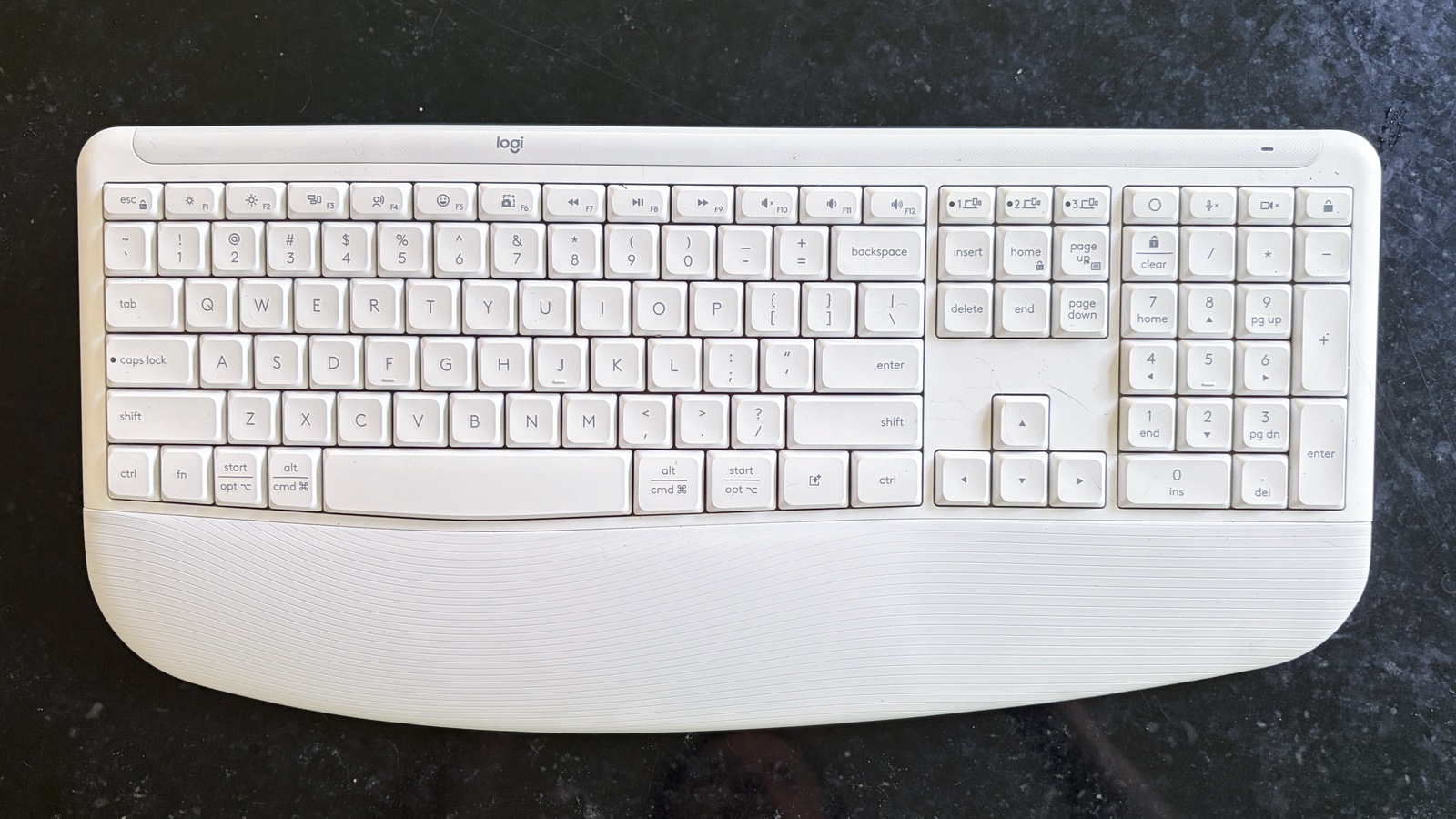 Logitech’s MK880 Combo adds a keyboard.
The Logitech Signature Comfort Plus MK880 Combo adds a keyboard to the M850 L.
I’ve been using a variety of keyboards with a 75% layout for years, so Logitech’s latest was an eye-opener. It uses the full 105-key layout, with a sizable palm rest. Make sure your desktop has room.
Like the new mouse, this keyboard is a mix of traditional design with ergonomic touches. The best example is that the keys don’t have the Logitech’s full “wave” design, but neither are they flat. The curve is subtle, but it’s there.
And, of course, there’s a large palm rest, contributing to the MK880 Combo’s whole “Comfort Plus” vibe. Fold-out feet let me angle the top of the keyboard as much as 8 degrees.
There’s a reasonable amount of key travel. And the keys move with little noise, so this accessory is ready to be used in a crowded office.
Like the M850 L mouse, the keyboard doesn’t use a rechargeable battery. Logitech promises that a pair of AAAs will last three years before needing replacements.
While not a high-end product, the MK880 keyboard doesn’t skimp on necessary features. It can switch between three computers at the press of a button, and supports a range of operating systems. Buttons are customizable via the Logi Options+ app.
 Logitech’s latest keyboard layout includes a slight curve.
I like the Logitech Signature Comfort Plus M850 L because it lives up to the “comfort” in its name without going too far toward some weird ergonomic design.
The MK880 Combo adds a nice keyboard: functional and easy to type on. It’s large, though.
★★★★☆
PricingThe Logitech Signature Comfort Plus M850 L costs $49.99. Add the keyboard to make MK880 Combo and the price hits $99.99. They are available in off-white, graphite and black.
Comfy mouse
Logitech Signature Comfort Plus M850L Wireless Mouse
4.5
$49.99
Wireless Bluetooth mouse featuring palm cushion, cozy side grips, quiet clicks, SmartWheel scrolling, and Easy-Switch between up to 3 devices
Pros:
Cons:
Mouse and keyboard combo
Logitech Signature Comfort Plus Combo MK880
4.5
$99.99
A wireless keyboard and mouse combo with integrated keyboard palm rest, soft mouse palm cushion, sculpted design, and more, to offer an enhanced comfort experience
Pros:
Cons:
Logitech provided Cult of Mac with a review unit for this article. See our reviews policy, and check out more in-depth reviews of Apple-related items.
Ed Hardy has been writing full-time about tech for 26 years, and using it for much longer than that. His intro to Apple was a Macintosh SE/30 (which he still has), but now he uses a 13-inch iPad Pro as his primary computer.
That’s because he’s a “tablet first” type of guy. Rather than use a Macbook, he connects a keyboard case to the iPad. And instead of a desktop Mac, he connects his tablet to a 27-inch display and full-size keyboard. (So don’t try to tell him that everyone has to use a Mac to be productive.)
Before coming to Cult of Mac, Ed wrote for NotebookReview, TabletPCReview and Brighthand, as well as other sites.

| # | Наименование новости | Тональность | Информативность | Дата публикации |
|---|---|---|---|---|
| 1 | New Logitech travel mouse folds to be oh so portable [Review] ★★★★☆ | 0 | 22.31 | 18-06-2026 |
| 2 | This Mac keyboard gave me a reason to stop reaching for my mouse [Review] ★★★★☆ | 0 | 23.97 | 05-10-2026 |
| 3 | Razer Travel Case Folio cleverly combines keyboard case with tablet stand [Review] ★★★★★ | 0 | 20.43 | 04-08-2026 |
| 4 | This unique MacBook accessory adapts its buttons to every app [Review] | 0 | 23.86 | 20-07-2026 |
| 5 | 3 ways the new Brydge Max iPad keyboard case beats Apple’s Magic Keyboard [Review] ★★★★☆ | 0 | 24.41 | 12-06-2026 |
| 6 | Ugreen’s latest charger and power banks prove smaller is better [Review] ★★★★★ | 0 | 22.76 | 29-06-2026 |
| 7 | Más que un ratón: el MX Master 4 acelera el flujo de trabajo con háptica y accesos directos | 0 | 7.07 | 16-09-2026 |
| 8 | 8 hot products to expect from Apple in October | 0 | 25.64 | 03-10-2026 |
| 9 | Logitech MX Anywhere 3S: el ratón compacto que funciona sobre cualquier superficie y reduce el ruido de los clics | 0 | 6.44 | 21-09-2026 |
