Просмотр новости
Найдите то, что Вас интересует
 Спутники
 РН
РН SpaceX
 Роскосмос
 NASA
NASA
СпутникиРНSpaceXРоскосмосNASA
You can read the time without even looking at your Apple Watch using a little-known feature called Taptic Time.
(via Cult of Mac - Your source for the latest Apple news, rumors, analysis, reviews, how-tos and deals.)
 You can get the time without even looking at your Apple Watch using a little-known feature called Taptic Time. Simply hold two fingers on the device’s screen, and the watch will tap out the time on your wrist.
This is handy if you’re in a meeting and need to know the time, but you don’t want to look rude checking your watch. Or maybe you’re in the middle of a presidential debate.
Whatever the situation, turning on this little-known Apple Watch feature — and familiarizing yourself with how it works –can come in handy.
The Apple Watch has always been about knowing the time at a glance. But what if you never had to look at your watch at all? Taptic Time turns the sleek smartwatch into a subtle, tactile timepiece. With a simple two-finger press, the watch’s Taptic Engine vibrates out the hour and minutes in a pattern you can feel on your skin.
It’s part accessibility tool, part discreet status update — and it’s perfect for meetings, movies or other moments when a glowing screen would seem gauche. Good luck getting your Casio or Rolex to do that for you.
Here’s how to turn on Taptic Time (and how to decode those taps on your wrist).
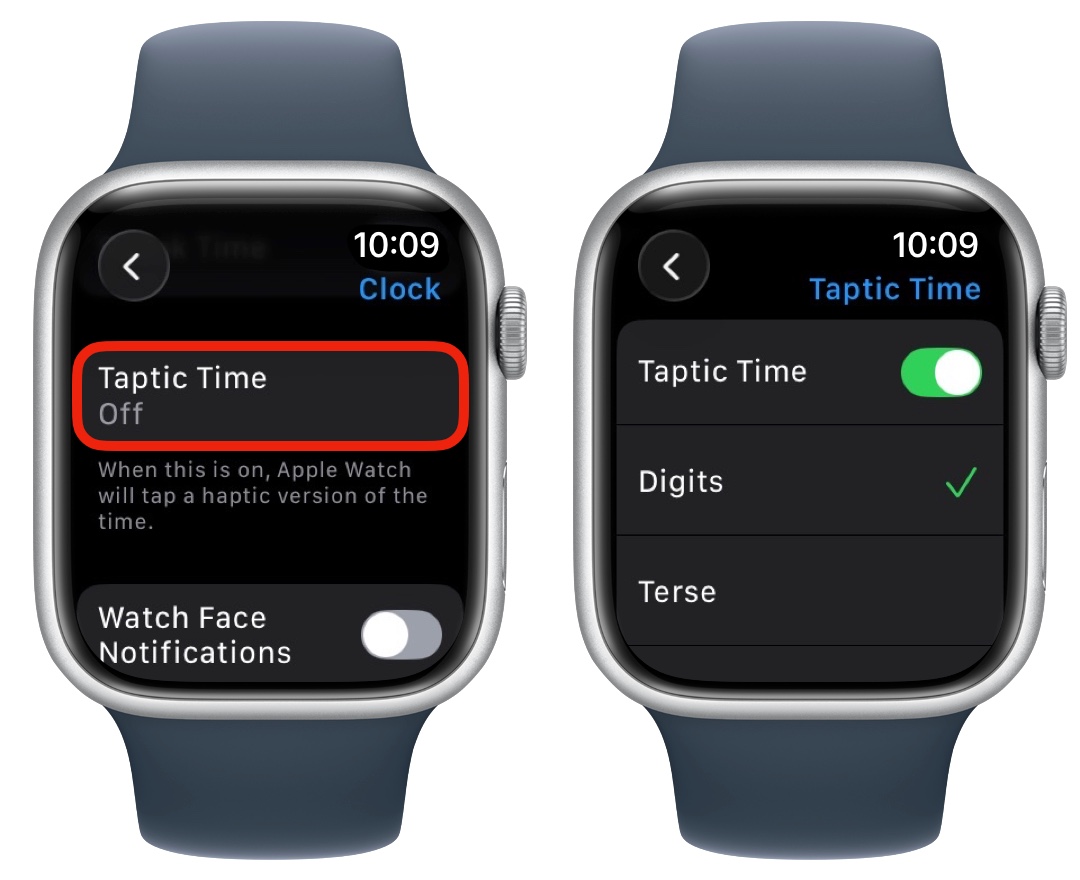 Apple buries many advanced Apple Watch features in the Settings app.
On your Apple Watch, go to Settings and scroll down to Clock. Scroll down past Chimes and Speak Time, and you’ll see another option for Taptic Time. Tap that and turn it on.
You can choose one of three haptic patterns:
Digits feels like the most intuitive option to me, so I stick with that. After you’ve enabled Taptic Time and picked your pattern, press the Digital Crown (the dial) to go back to your Apple Watch’s face.
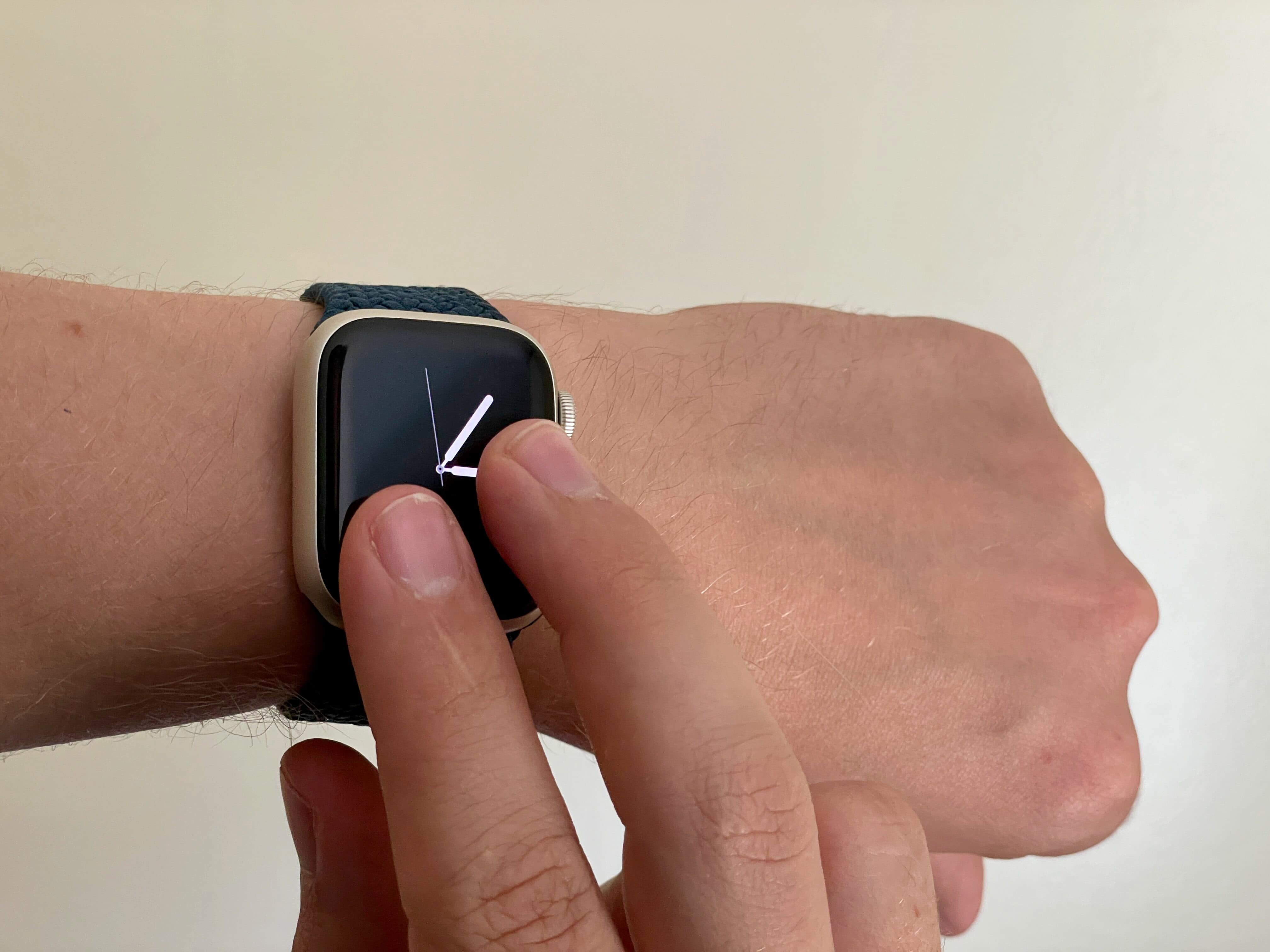 Hold down on the Apple Watch face to feel the time.
Now that you’ve got Taptic Time running, you can activate it by holding two fingers on your Apple Watch screen anytime it’s on.
I actually wish this feature worked while the watch face was off, too. That would make using Taptic Time even more discreet. And that would enable it for a bunch of other useful situations: watching a movie in a theater or riding an airplane on an overnight flight, where the bright screen might bother people next to me.
I don’t think it would take any extra battery life to enable it. And I can’t imagine there would be many false positives for such a weird gesture that requires you to hold your fingers on the screen.
More Apple Watch how-tosWe originally published this article on Taptic Time on July 19, 2023. We updated it with the latest information on September 25, 2024, and August 14, 2026.
| # | Наименование новости | Тональность | Информативность | Дата публикации |
|---|---|---|---|---|
| 1 | 10 Apple Watch settings everyone should change | 0 | 25.11 | 02-06-2026 |
| 2 | How to browse the web on your Apple Watch with μBrowser | 0 | 19.02 | 21-05-2026 |
| 3 | 3 exercise tips every Apple Watch wearer should know | 0 | 21.89 | 04-06-2026 |
| 4 | watchOS 27 kills the Digital Crown double-click, and Apple Watch owners aren’t happy | 0 | 25.19 | 18-09-2026 |
| 5 | Apple’s screenless fitness tracker might someday replace your Apple Watch | 0 | 21.47 | 22-09-2026 |
| 6 | 7 mind-blowing Continuity features every Apple user should know | 0 | 24.34 | 12-08-2026 |
| 7 | Pixel Watch 5 adds a feature Apple Watch desperately needs | 0 | 24.43 | 12-08-2026 |
| 8 | The Apple Watch is forever square | 0 | 11.26 | 14-08-2026 |
| 9 | watchOS 27.2 will restore a useful Apple Watch feature, but there’s a catch | 0 | 23.02 | 22-09-2026 |
| 10 | 4 reasons you should stop tracking Apple’s sleep score | 0 | 21.74 | 26-04-2026 |