Просмотр новости
Найдите то, что Вас интересует
 Спутники
 РН
РН SpaceX
 Роскосмос
 NASA
NASA
СпутникиРНSpaceXРоскосмосNASA
The Camera app in iOS 27 is chock-full of small but meaningful improvements. Last year’s design is refined upon to make it the best yet.
(via Cult of Mac - Your source for the latest Apple news, rumors, analysis, reviews, how-tos and deals.)
The Camera app in iOS 27 is chock-full of small but meaningful improvements. The UI was given a major simplification last year; this year, that design is iterated and refined upon to make it the best yet.
This is one of the changes I’ve really grown to appreciate since installing the developer betas. Check it out below.
5 tweaks in the Camera coming in iOS 27The camera is one of the iPhone’s most fundamental features. The camera was an afterthought at first — during the iPhone’s introduction, Steve Jobs described it as “a phone, a widescreen iPod with touch controls, and a breakthrough internet communicator.”
But today, I think most people would put “a powerful digital camera” as one of the three core features. Getting a better camera is one of the top reasons people cite for upgrading to a new model.
That means that any change to the Camera app is pretty seismic — and there a few big changes to unpack this year.
Table of Contents: Camera features in iOS 27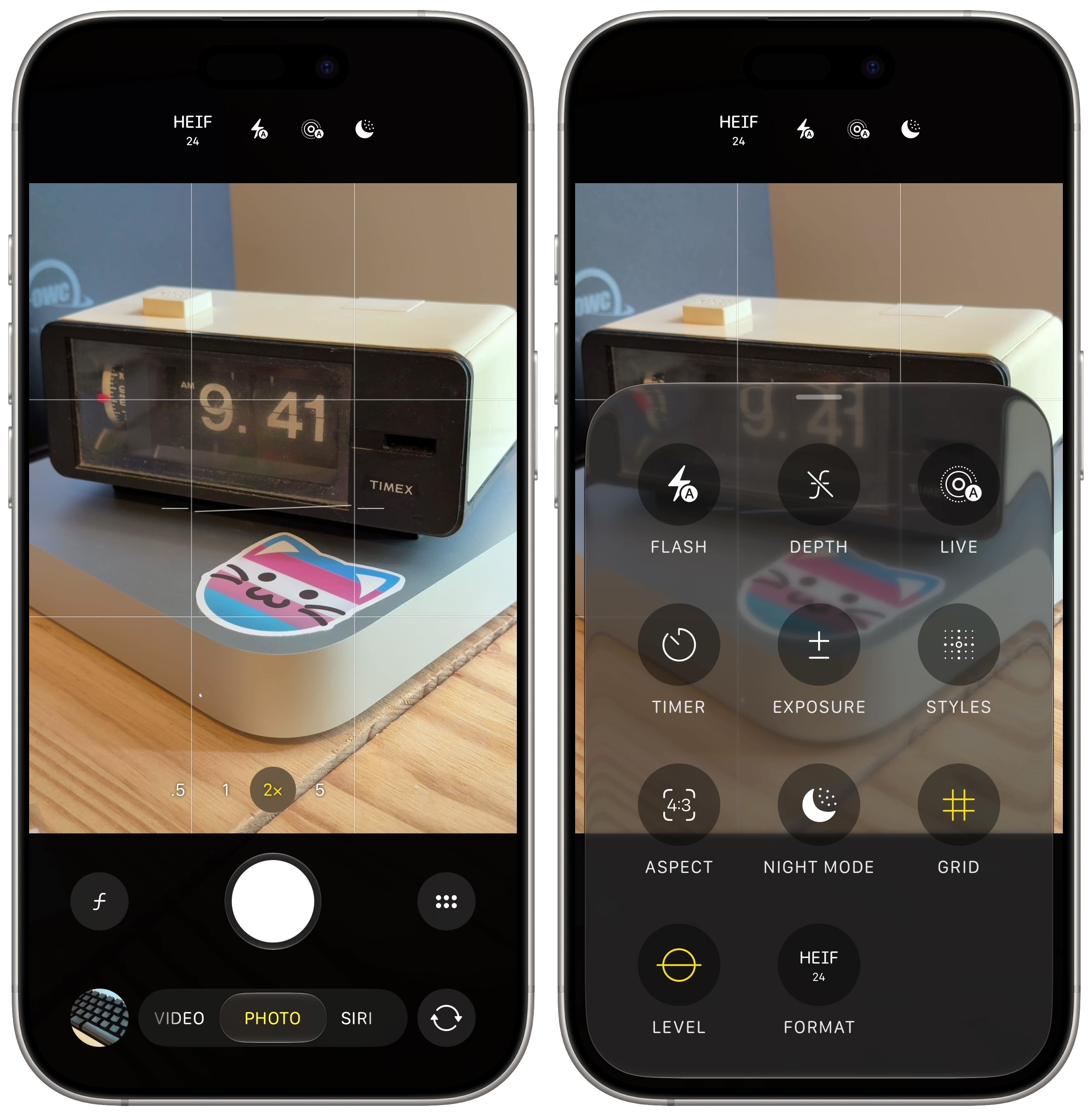 The button layout makes a little more sense.
The Camera app largely sticks with the same visual design from last year, with a few controls moved around.
The Camera Controls menu also now adds toggles for Portrait mode depth, Night Mode, grid, level and format. Some of these options, like the grid and level, could only be enabled by digging through Settings > Camera. Rumors indicate that later this year, you’ll be able to customize which controls show up in the menu and which controls stay at the top of the screen.
A new Siri mode with Visual Intelligence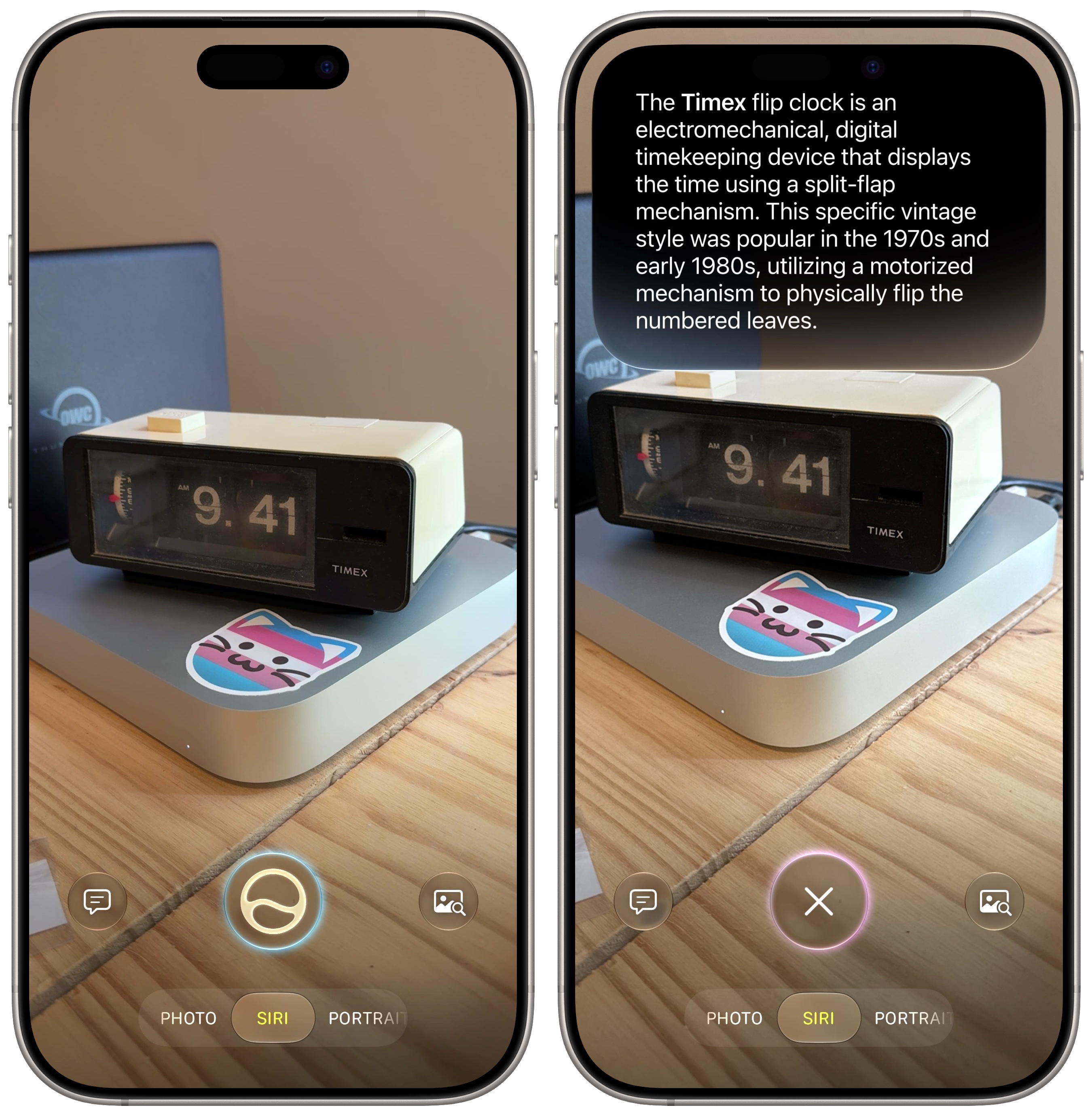 Visual Intelligence is now a Siri mode in the Camera app.
Apple merged Visual Intelligence with the Camera app. Before, these were two separate systems that most people either didn’t know about or found confusing.
Now, on models that support Apple Intelligence (iPhone 15 Pro, iPhone 16 and later) there’s a new Siri mode alongside Photo and Video. The Ask button on the left lets you ask questions based on what you see, though it now uses Siri AI instead of ChatGPT. The Search button lets you visually look up what’s on screen using Google, eBay and Amazon.
The Siri button in the middle will try to intelligently help based on what you take a picture of.
While the pro phones have three separate lenses on the back with different optical properties, Apple wants you to treat it as one fluid camera system. You can freely zoom in and out and the phone will crop in on the sensor until it can switch to another lens. Those transitions can be a bit sudden and jarring, though.
Apple says that in iOS 27, you can expect smoother jumps between camera lenses. I haven’t noticed an improvement in my personal testing, but maybe this will continue to be tweaked as betas progress.
More accurate portrait / landscape orientation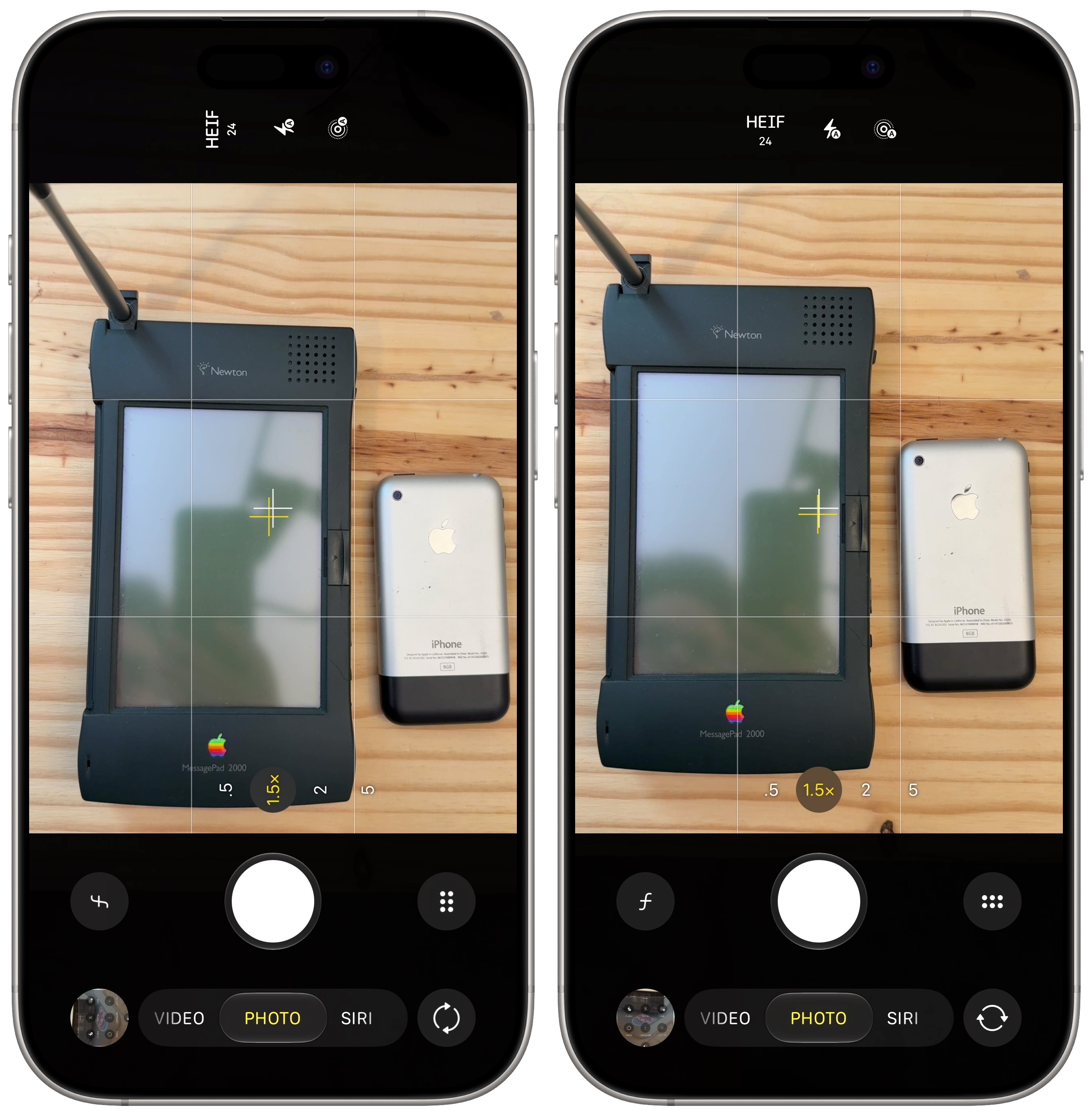 Make sure your portraits are actually vertical and your landscapes are horizontal.
If you point the camera straight down at something to take a picture, your phone often doesn’t know if the photo is supposed to be portrait or landscape. It’ll go with what it was last. If you catch it before you take the photo, you’ll have to turn your phone up and back down before you take the shot. And if you miss it, that means editing the picture and rotating it later. It’s easy, but still annoying.
In iOS 27, Apple says it has improved the orientation detection to be more accurate. Hopefully, you’ll encounter this problem less.
Better performance in Low Power ModeThe Camera is one of the most battery draining apps on your phone. Processing each photo is a computationally intense task. If you’re concerned about your battery life, you should use Low Power Mode — and now in iOS 27, you’ll find much better camera performance when it’s enabled.
Apple says that in iOS 27, the Camera launches faster and uses less power. That’s a win-win!
More new features in iOS 27| # | Наименование новости | Тональность | Информативность | Дата публикации |
|---|---|---|---|---|
| 1 | Tons of new features in Photos help sort your massive library in iOS 27 | 6 | 6 | 30-06-2026 |
| 2 | iOS 27 just broke your oldest iPhone habit | 0 | 5 | 02-07-2026 |
| 3 | 8 new features in Safari in iOS 27 that make browsing better | 5 | 5 | 22-06-2026 |
| 4 | iOS 27 beta 2: All the new features and changes | 0 | 5 | 23-06-2026 |
| 5 | New features added to iPhone Photos app in iOS 27 | 0 | 22.52 | 18-09-2026 |
| 6 | Apple Translate is getting 9 new languages in iOS 27 | 0 | 5 | 09-07-2026 |
| 7 | 4 features that supercharge Notes in iOS 27 and macOS Golden Gate | 0 | 5 | 01-07-2026 |
| 8 | Visual Intelligence ads may be coming to your iPhone with iOS 27 | 0 | 21 | 11-09-2026 |
| 9 | 8 built-in editing tools to glow up your pictures on your iPhone | 0 | 24.6 | 30-05-2026 |
| 10 | iOS 27 Lock Screen customizations finally put you in control of your iPhone | 0 | 24.45 | 10-08-2026 |